How to Permanently Delete BTSE Account? 2026 Guide


On this page
Regardless of its offerings, traders may opt to delete their BTSE account for various reasons, ranging from privacy concerns to shifting preferences. Whether seeking a fresh start or alternative platforms, understanding the detailed steps to close your account ensures a seamless departure from BTSE.
This clear step-by-step guide navigates users through the BTSE account deletion in a few simple steps. So let’s get started.
What to Do Before Deleting BTSE Account
- Cancel All Orders & Positions: Before you cancel your BTSE account, close all active trading orders to prevent inadvertent transactions, ensuring a smooth cessation of your trading activities on the platform.
- Withdraw All Funds: Secure your assets by withdrawing all funds from your BTSE account before cancelling. This step ensures a secure transfer of your funds to your preferred wallet or financial institution.
- Clear Your Data: Prioritize privacy by erasing your data from the platform. Delete stored information, including personal details and transaction history, to minimize your digital footprint and enhance data security.
How to Delete BTSE Account
Opting to delete your BTSE account is a seamless procedure. Follow the outlined steps for a hassle-free and straightforward conclusion to your association with the platform.
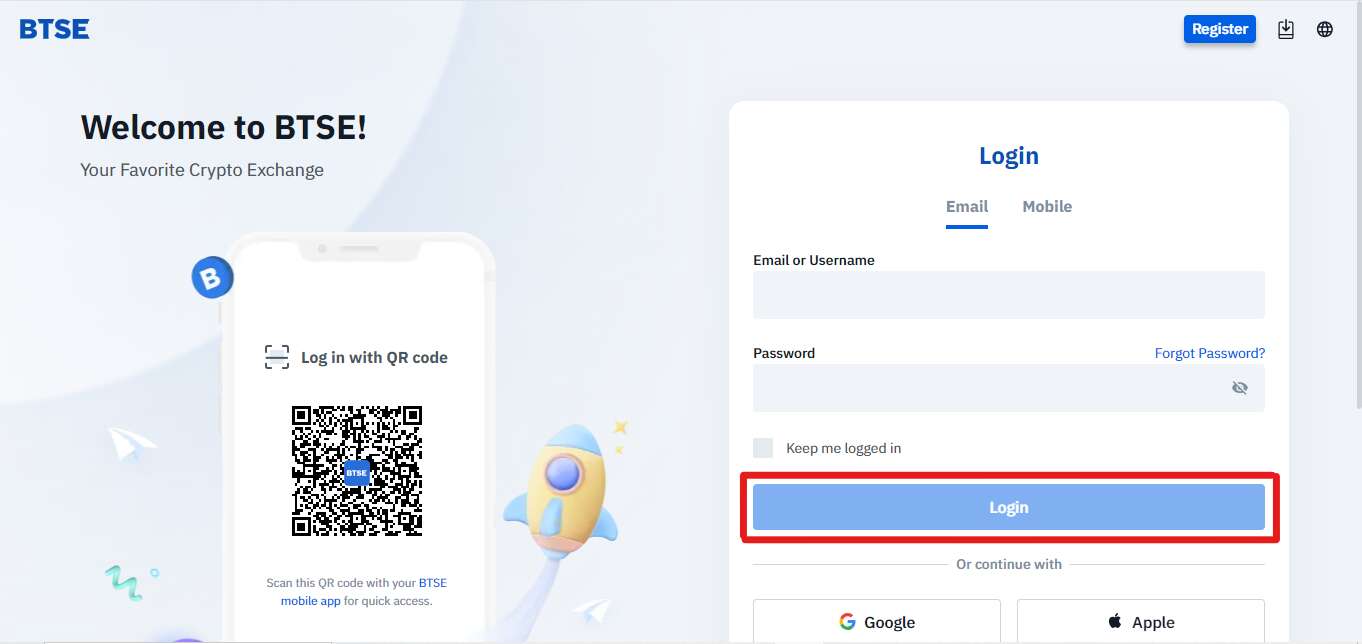
Step 1: Logging to Your BTSE Account
Open the BTSE website and enter your login credentials to access your account.
Step 2: Scroll Down to the Bottom
Navigate to the bottom of the page, where you usually find links or information related to customer support and account management.
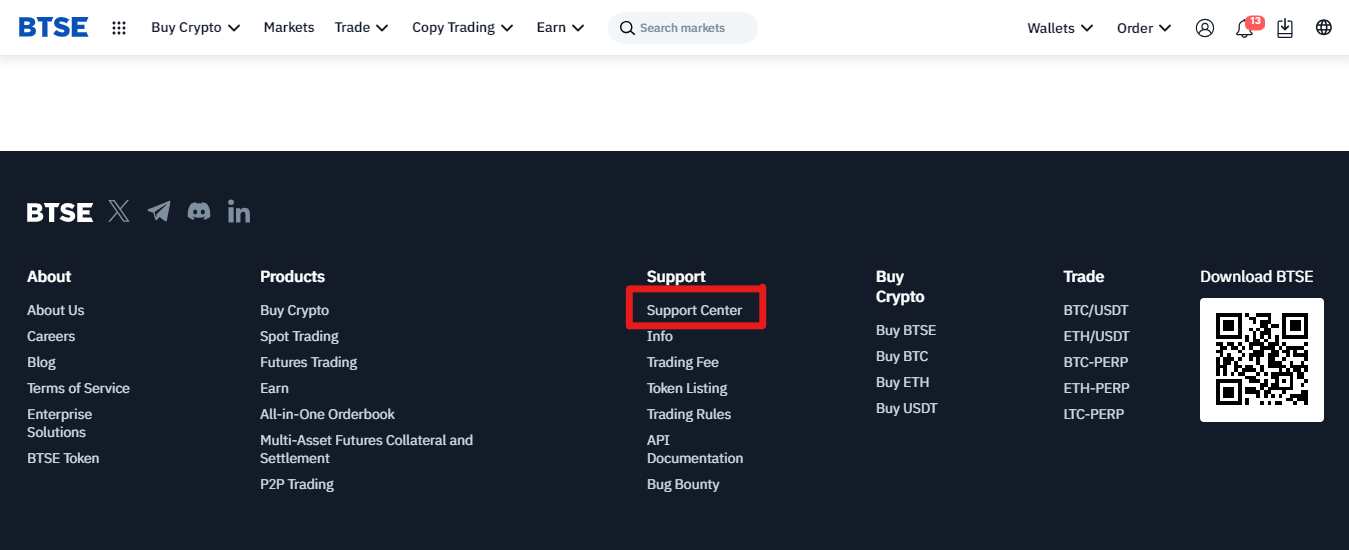
Step 3: Click on Support Center
Look for the “Support Center” link or option, typically found in the footer of the webpage. Click on it to access the help resources.
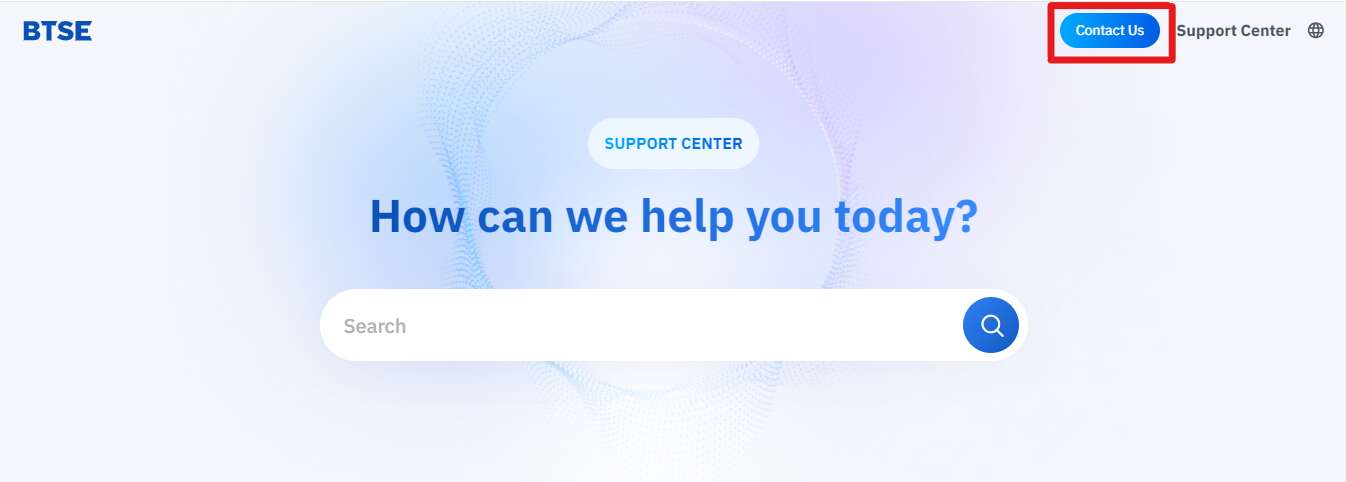
Step 4: Select the “Contact Us”
Option Within the Help Center, and locate the “Contact Us” option. This is where you can initiate communication with the customer support team.
Step 5: Write Your Details
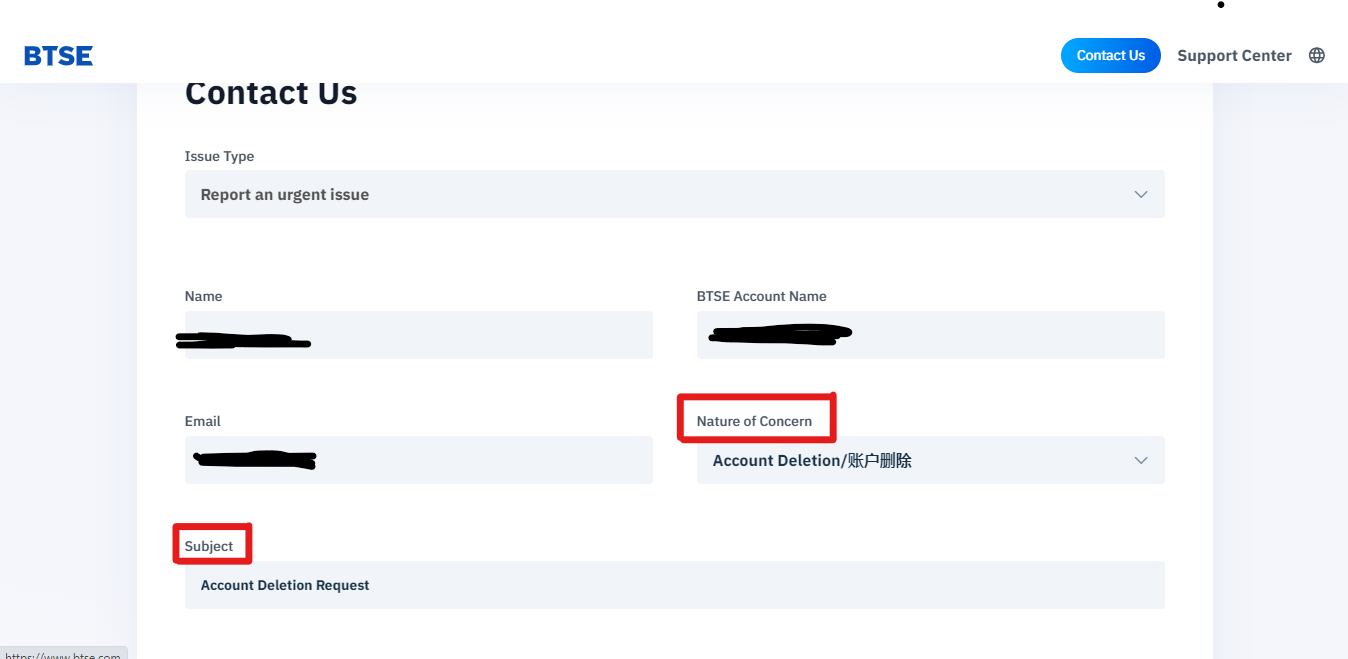
After selecting “Contact Us,” you will likely be directed to a form or a communication interface. Fill out the required fields with accurate information. This may include your name, email address, account details,
Step 6: Select “Account Deletion” in Nature of Concern
When prompted to choose the nature of your concern or inquiry, select “Account Deletion.” This directs your request to the appropriate department.
Step 7: Write “Account Deletion” in the Subject Line
In the subject line of your communication, clearly state your intention by typing “Account Deletion Request.” This helps facilitate the processing of your request.
Step 8: Compose Your Deletion Request
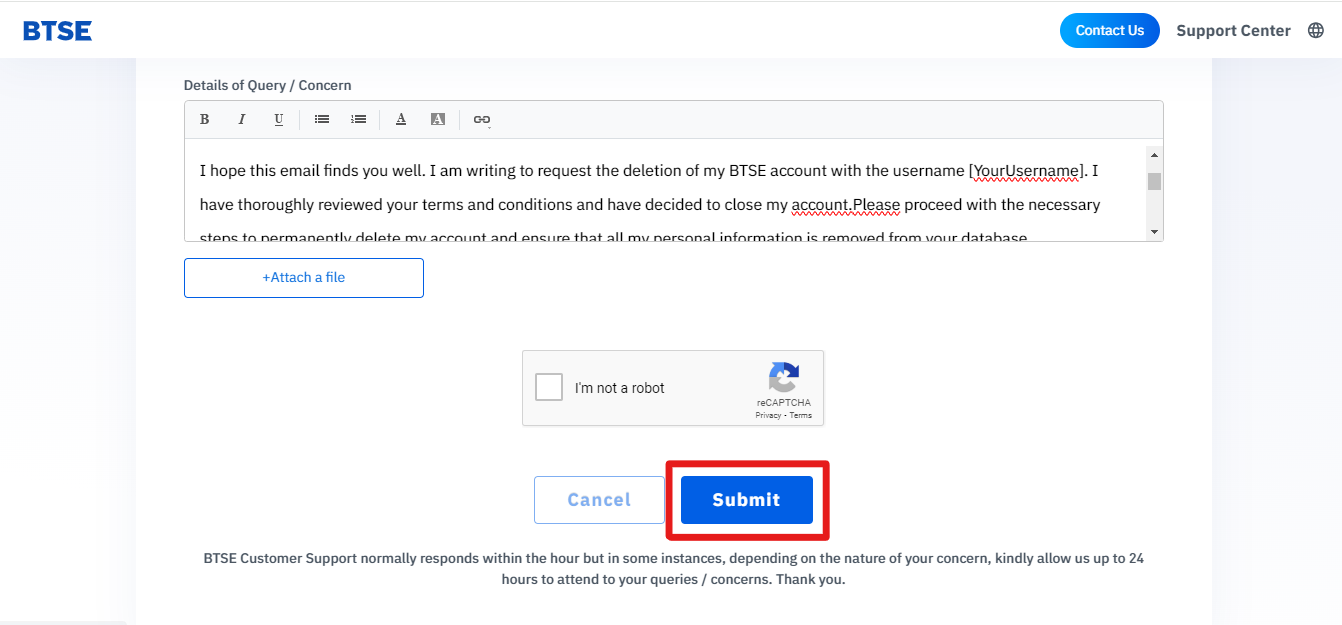
In the body of the message, provide a detailed explanation of your request for account deletion. You may include any necessary information, such as your account details, to verify your identity.
Step 9: Hit “Submit” Button
After composing your request, locate the “Submit” button or equivalent to send your message. This initiates the process of communicating your account deletion request to the BTSE support team.
Step 10: Confirmation of the Request
Upon successful submission, you should receive an acknowledgement or confirmation message. This may include a reference number for your request, providing a means to track its status.
Step 11: Follow-Up if Needed
If there are additional steps or information needed to process your account deletion, be prepared to follow up with any requests from the BTSE support team promptly. This ensures a smooth and efficient resolution to your request.
Note: If you close your BTSE account, it cannot be recovered.
Best BTSE Alternatives
If you opt to delete your BTSE account and want to try any substitute platform for it, consider Bitunix as a compelling alternative to BTSE after account closure. With no KYC requirements, Bitunix prioritizes user privacy. Offering 100x leverage, it caters to advanced traders seeking significant market exposure.
Final Thoughts
This step-by-step guide empowers users to delete their BTSE account smoothly. For those seeking alternatives, Bitunix and OKX stand out as viable options, offering robust features and user-friendly interfaces. Accept the freedom to explore new platforms that suit your crypto objectives.