BitBox02 Review 2026: Is This Swiss Hardware Wallet Safe?

On this page
On this page
- BitBox02 Overview
- Bitbox02 Pros & Cons
- How BitBox02 Works
- BitBox02 Specs & Design
- BitBox02 Features
- BitBox02 Unboxing
- BitBox02 Setup
- BitBox02 Pricing & Fees
- BitBox02 Supported Chains and Assets
- BitBox Customer Support
- Bitbox02 Security and Self-Custody
- Is the BitBox02 Safe to Use?
- BitBox02 vs. Ledger Nano X
- BitBox02 Alternatives
- Bottom Line
- FAQs
- BitBox02 is a compact USB-style hardware wallet weighing only 12 grams.
- Its dual-chip security combines open-source firmware with protection against physical attacks.
- Both Bitcoin-only and Multi Editions cost $162 but support different assets.
- The included microSD card creates quick backups and simplifies wallet recovery.
- BitBoxApp supports desktop and Android, while the original wallet excludes iOS.
Crypto hardware wallets now come in all sizes. Some are compact, while others are closer to the size of a mobile device. There have also been several changes in their designs, and the BitBox02 is one example. This Swiss-made hardware wallet uses a USB-stick design and replaces physical buttons with capacitive touch controls. But how effective is it at its main job of protecting your crypto, and which assets does it support? These are some of the areas we will discuss in this BitBox02 wallet review.
| Stats | Bitbox02 |
|---|---|
| 🗝️ Type | Hardware Wallet |
| 🖥️ Screen | 128 × 64 OLED |
| 🪙 Supported Tokens | BTC, LTC, ETH, ADA, ERC-20 |
| 🌐 Supported Networks | Bitcoin, Litecoin, Ethereum, Cardano |
| 🖼️ NFT Support | Limited third-party support |
| 🔗 Connection | USB-C, USB-A adapter |
| 🔋 Wireless Charging | No |
| 🛡️ Security | Dual-chip, secure element, password |
| 📱 Mobile App | Android |
| 💻 Desktop App | Windows, macOS, Linux |
| 📲 Main App | BitBoxApp |
| 🔌 Wallet Support | Multiple third-party wallets |
| ⭐ Best For | Compact secure self-custody |
BitBox02 Overview
BitBox is a Swiss hardware wallet company founded in 2015 by Douglas Bakkum. Its first device, originally called the Digital BitBox and later renamed BitBox01, provided a compact method for storing private keys offline. However, as hardware wallet users began expecting better usability alongside stronger physical protection, the company developed a complete redesign. The BitBox02 launched in September 2019 with a dual-chip security architecture, on-device display, touch controls, and an easier backup system.
The wallet retains the compact appearance of a USB stick. It weighs just 12g, has a built-in USB-C connector, and uses a 128 × 64-pixel OLED screen. Rather than adding physical buttons, BitBox placed capacitive touch sensors along both sides. You can tap, slide, or hold these sensors to navigate menus and approve actions. The controls may require some adjustment at first, as unintended side touches can register while entering information. However, navigation becomes easier once you become familiar with how the sensors respond.
BitBox02 is available in black and comes in two versions: the Multi Edition and Bitcoin-only Edition, both priced at $162. Both use largely the same hardware, but the Bitcoin-only model runs restricted firmware containing no altcoin-related code. The Multi Edition natively supports Bitcoin, Litecoin, Ethereum, Cardano, and ERC-20 tokens.
Its native asset selection is fairly limited, but third-party wallet compatibility extends what you can manage. Bitcoin users can connect BitBox02 with Electrum, while Ethereum, ERC-20, and EVM assets can be managed through Rabby or WalletConnect within BitBoxApp. Cardano users can connect through AdaLite. MetaMask does not currently support a direct BitBox02 connection.
BitBoxApp is available on Windows 10 and later, macOS 12 and later, Linux, and Android. The original BitBox02 does not support iOS, although iPhone and iPad users can choose the newer BitBox02 Nova. Its main security measures include a dual-chip system, open-source firmware, secure boot, anti-klepto protection, encrypted USB communication, and physical tamper resistance.
Bitbox02 Pros & Cons
What we like
- Compact 12g USB design
- Open-source firmware
- Dual-chip security architecture
- Easy microSD card backup
- Anti-klepto protection
- Bitcoin-only edition available
What holds it back
- Limited coin support
- No iOS compatibility
- No true air-gap
- No direct MetaMask integration
How BitBox02 Works
BitBox02 connects directly to a computer or Android phone through USB-C, while the included extension cable and USB-A adapter provide additional connection options. Once connected, you manage accounts, balances, receiving addresses, and transactions through BitBoxApp, available on Windows, macOS, Linux, and Android. Transaction details appear on the wallet’s OLED screen, where you verify and approve them using the capacitive touch controls.
Private keys remain stored inside the device and are not shared with the connected phone or computer. BitBox02 can also connect with third-party wallets, including Electrum for Bitcoin, AdaLite for Cardano, and Rabby or WalletConnect for Ethereum, ERC-20 tokens, and other EVM networks.
BitBox02 Specs & Design
The specifications provide a clearer picture of the BitBox02’s compact construction, display, controls, and connectivity before examining how these choices affect everyday use.
| Specification | Details |
|---|---|
| Dimensions | 54.5 × 25.4 × 9.6mm |
| Weight | 12g |
| Screen | 128 × 64px white OLED |
| Controls | Capacitive touch sensors |
| Body | Polycarbonate |
| Secure Chip | ATECC608B |
| Connectivity | Built-in USB-C |
| Battery | None |
| Available Color | Black |
| Warranty | 2 years |
BitBox02 uses a compact USB-stick design and weighs only 12g. Its polycarbonate casing feels light and somewhat hollow, but the material is resistant to impact and high temperatures. The low weight also makes sense for a device designed to connect directly to a computer or Android phone, as it places less pressure on the USB-C port.
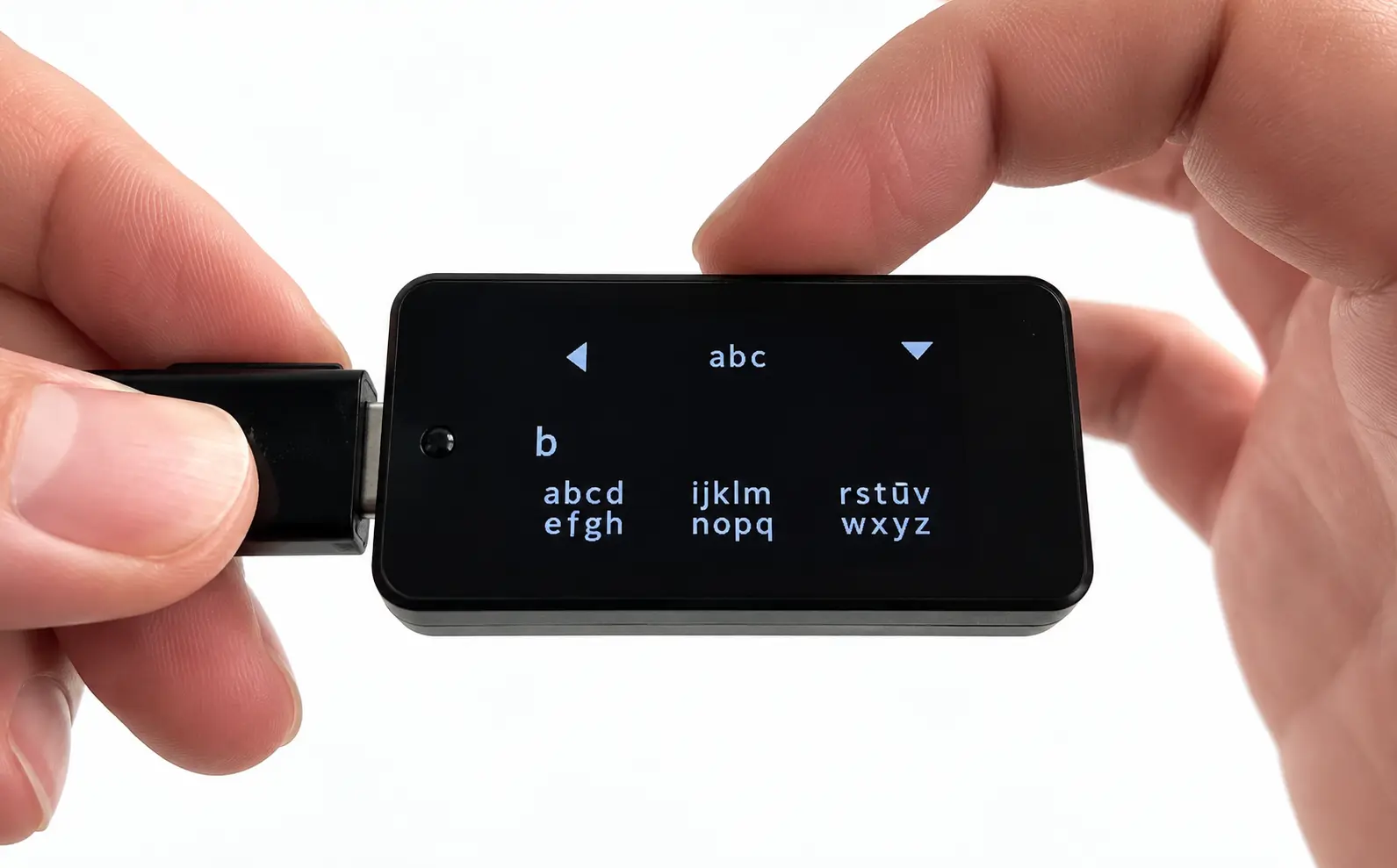
The front has a 128 × 64-pixel white OLED screen for displaying wallet addresses, recovery words, and transaction information. Instead of physical buttons or a touchscreen, BitBox02 uses capacitive sensors along both sides. You can tap to move through menus, slide to review addresses, and hold both sides to confirm an action. The controls can take some time to understand, and unintended touches may register while entering a password. However, navigation becomes easier once you learn how the sensors respond.
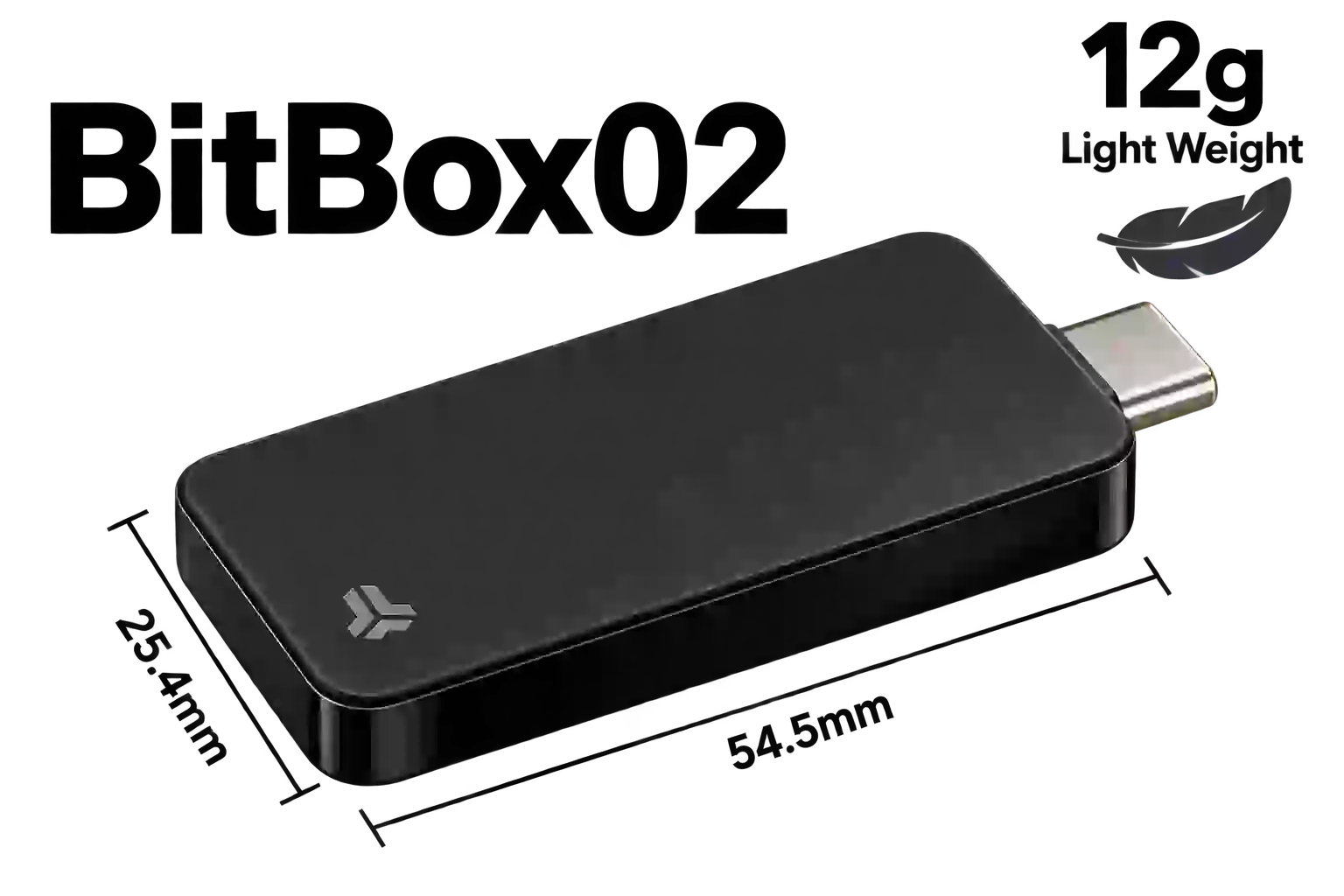
Its built-in USB-C connector allows direct use without a separate cable. BitBox also includes a USB-C extension cable and USB-A adapter, which help when the wallet blocks a nearby computer port or cannot connect properly through a phone case. Since there is no internal battery, the wallet receives power from the connected device and does not offer Bluetooth connectivity. It is only available in black, although three removable rubber pulls are included in black, white, and grey.
BitBox02 Features
BitBox02 includes several practical tools for backup management, Bitcoin privacy, external wallets, and account authentication.
microSD Card Backup
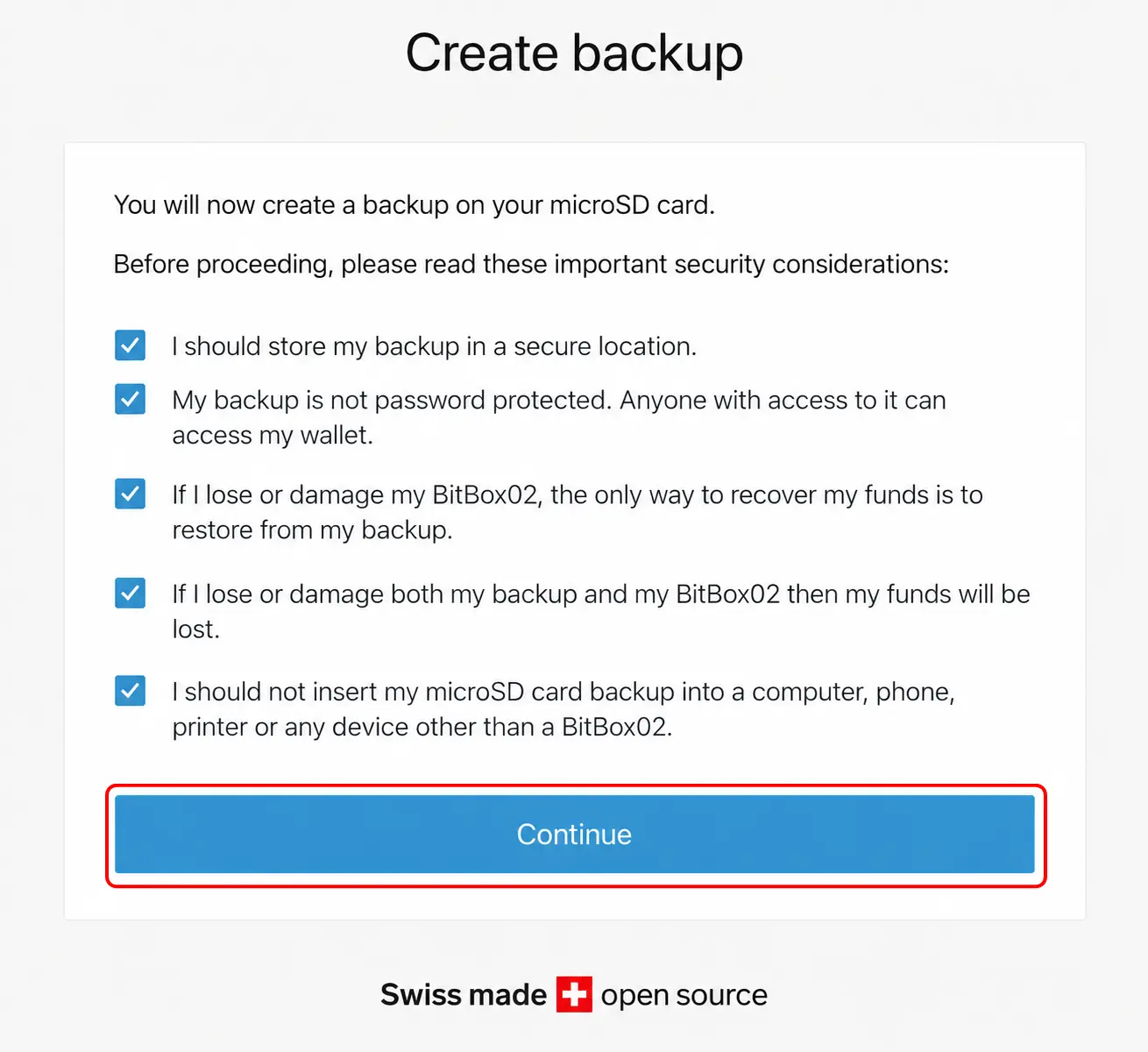
BitBox02 lets you create a wallet backup directly on the included microSD card. The backup is not encrypted, so protect the card as carefully as your recovery words and store it separately from the device. Automatic backup can reduce the chance of entering an incorrect recovery word because the backup is generated automatically by the device. If you prefer a traditional backup, you can display your 24 recovery words later and record them on paper or steel.
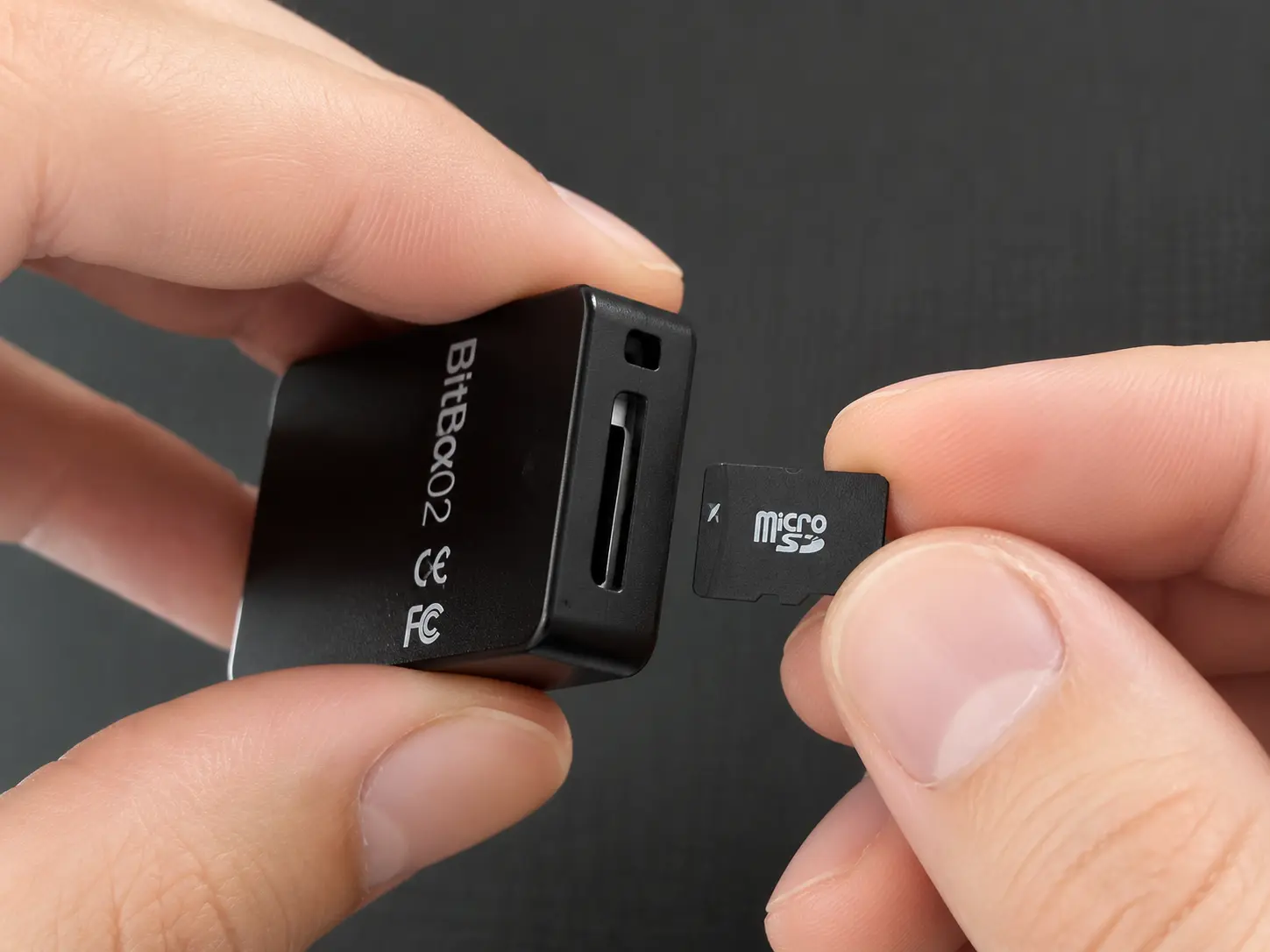
You can also verify an existing microSD backup or create another copy through BitBoxApp. The card should remain offline and stored separately from the wallet. Avoid inserting it into a computer, phone, or another connected device. Whether you rely on the card or record the recovery words separately comes down to your preferred backup method.
Bitcoin-Only Edition
BitBox02 is available as a Multi Edition or Bitcoin-only Edition, with both versions priced the same. The Bitcoin-only model removes all firmware code related to altcoins and supports BTC exclusively. This leaves fewer software components running on the device, reducing its attack surface.
You still receive the same physical design, dual-chip architecture, microSD backup system, and BitBoxApp access. The main difference is the restricted firmware and asset support. If you only hold Bitcoin, this edition gives you a more focused wallet without unrelated coin integrations. However, you cannot add Ethereum, Litecoin, Cardano, or ERC-20 tokens later without changing to a compatible Multi Edition device.
Coin Control and Tor
BitBoxApp includes coin control for Bitcoin transactions. Bitcoin balances are made up of separate unspent transaction outputs, commonly called UTXOs. Coin control lets you choose which UTXOs will be used when sending a transaction rather than allowing the app to select them automatically.
This can help you avoid combining coins from unrelated addresses, which may reveal that those addresses belong to the same wallet owner. You can also route BitBoxApp traffic through the Tor network to conceal your IP address from the servers used to retrieve blockchain information. For additional privacy, BitBox02 allows you to connect BitBoxApp directly to your own Bitcoin full node.
Third-Party Wallet Support
BitBox02 is not limited to BitBoxApp. You can connect it to external wallets when you need different asset support, Bitcoin controls, or access to EVM applications. Bitcoin users can connect through Electrum, Sparrow, or Specter, while Cardano is supported through AdaLite and NuFi. Rabby and MyEtherWallet provide access to Ethereum, ERC-20 tokens, and EVM networks such as Polygon, Arbitrum, Optimism, and BNB Smart Chain.
Some connections require BitBox Bridge, which runs in the background and allows the external wallet to communicate with the device. BitBoxApp may need to be closed before connecting, since two wallet applications cannot use the BitBox02 simultaneously. MetaMask does not currently offer direct BitBox02 support.
U2F Security Key
BitBox02 can also function as a Universal Second Factor security key for compatible online accounts. After enabling U2F, you can register the wallet with services such as email platforms, password managers, or crypto exchanges that support hardware-based two-factor authentication.
When signing in, you enter your usual account credentials and then confirm access using the BitBox02. This means an attacker would need both your login information and the physical device to enter the account. U2F does not protect your wallet funds directly, and it should not be confused with the device password or recovery backup. Before relying on it, keep another recovery or authentication method available in case the BitBox02 is lost or damaged.
BitBox02 Unboxing
The BitBox02 arrives in compact packaging wrapped in a plastic tamper-evident seal. The seal cannot be removed cleanly by hand, so any damage or signs of prior opening should be easy to notice before you access the wallet. This provides an initial check that the package has not been opened or altered during delivery.
Opening the packaging requires tearing it apart, meaning the box cannot be reused for storing the wallet and its accessories. That may be slightly disappointing if you prefer keeping hardware wallets inside their original boxes. The packaging itself is simple, although the illustration of a running cow on one side gives it a slightly unusual touch.
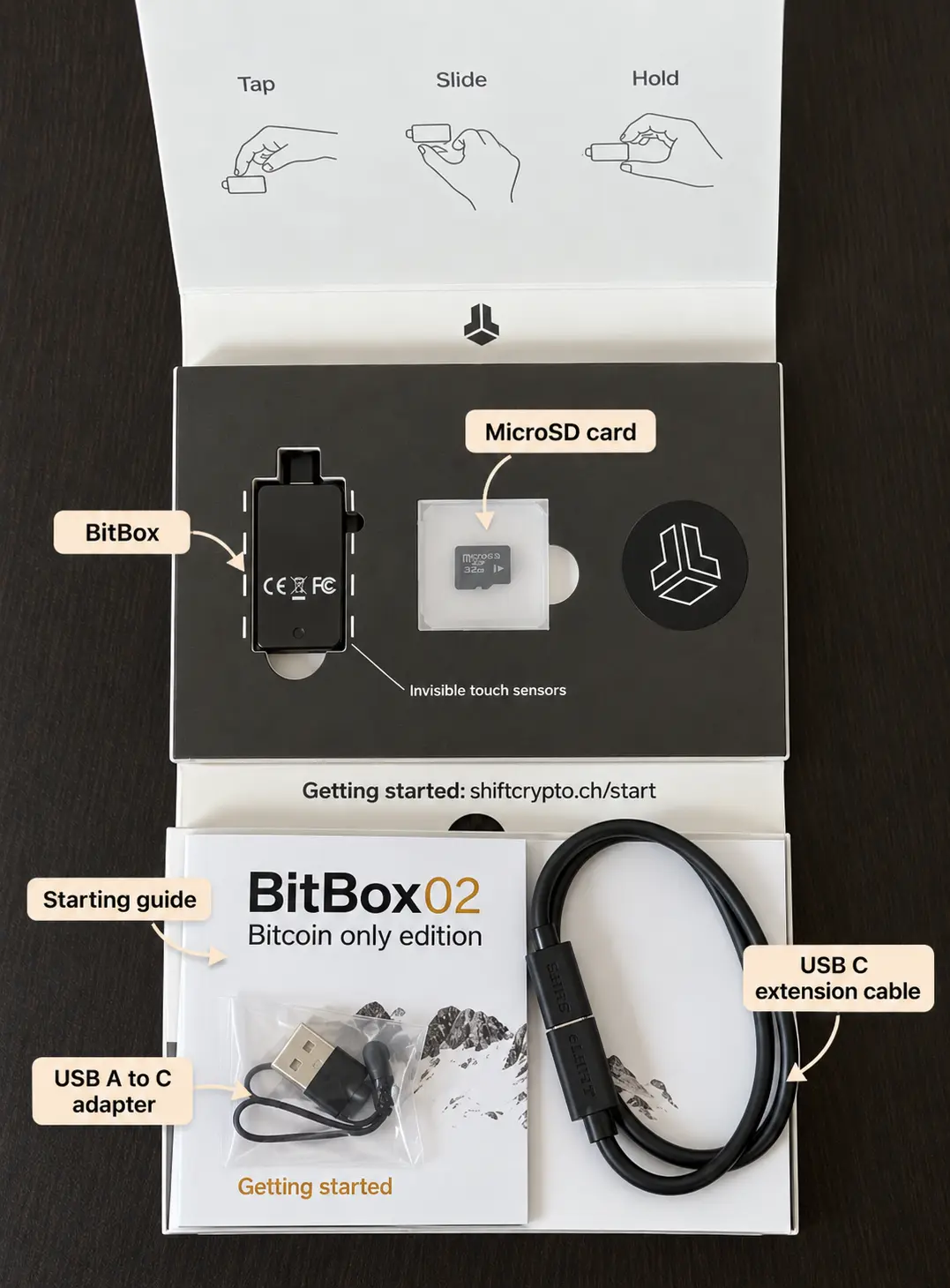
Inside the box, you receive:
- BitBox02 hardware wallet
- 8GB microSD card
- USB-C extension cable
- USB-C to USB-A adapter
- Black, white, and grey rubber pulls
- BitBox labeling stickers
The extension cable and USB-A adapter are particularly useful additions. You can use the cable if the wallet blocks nearby ports, feels unstable when connected directly, or cannot fit into a phone while its case is attached. The included microSD card is used for creating and restoring wallet backups.
BitBox02 Setup
You can set up BitBox02 through BitBoxApp by verifying the device, creating a password, and saving your microSD card backup.
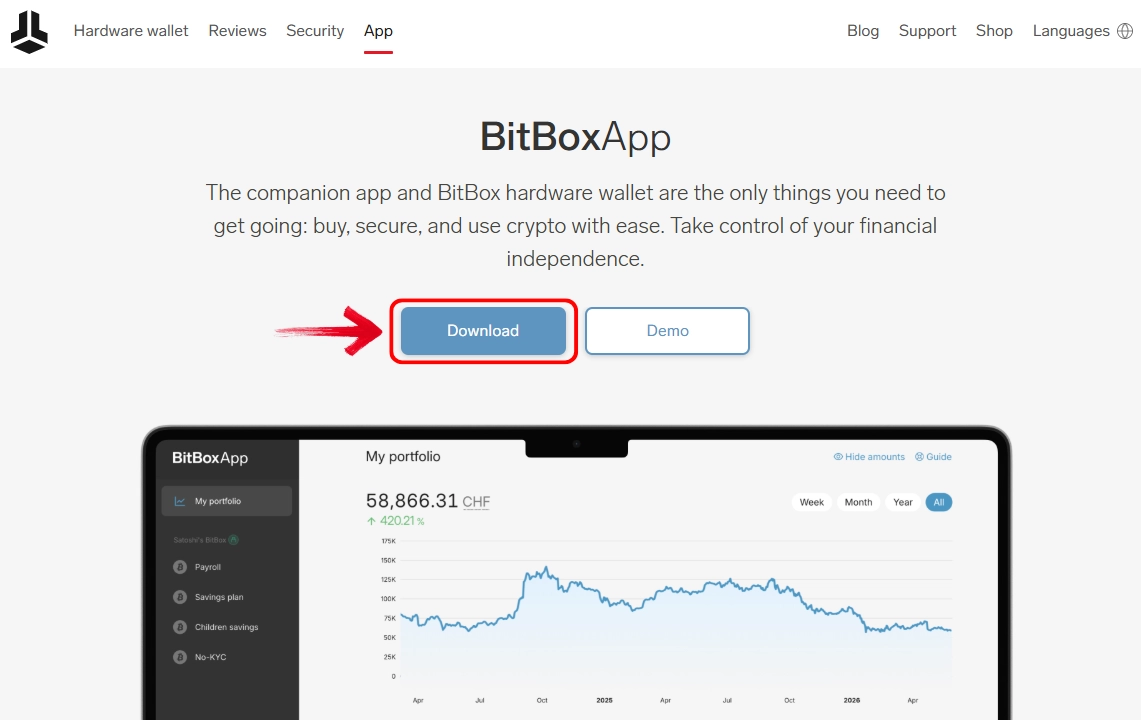
Step 1: Visit the official BitBox website and click Download to install BitBoxApp on your computer.
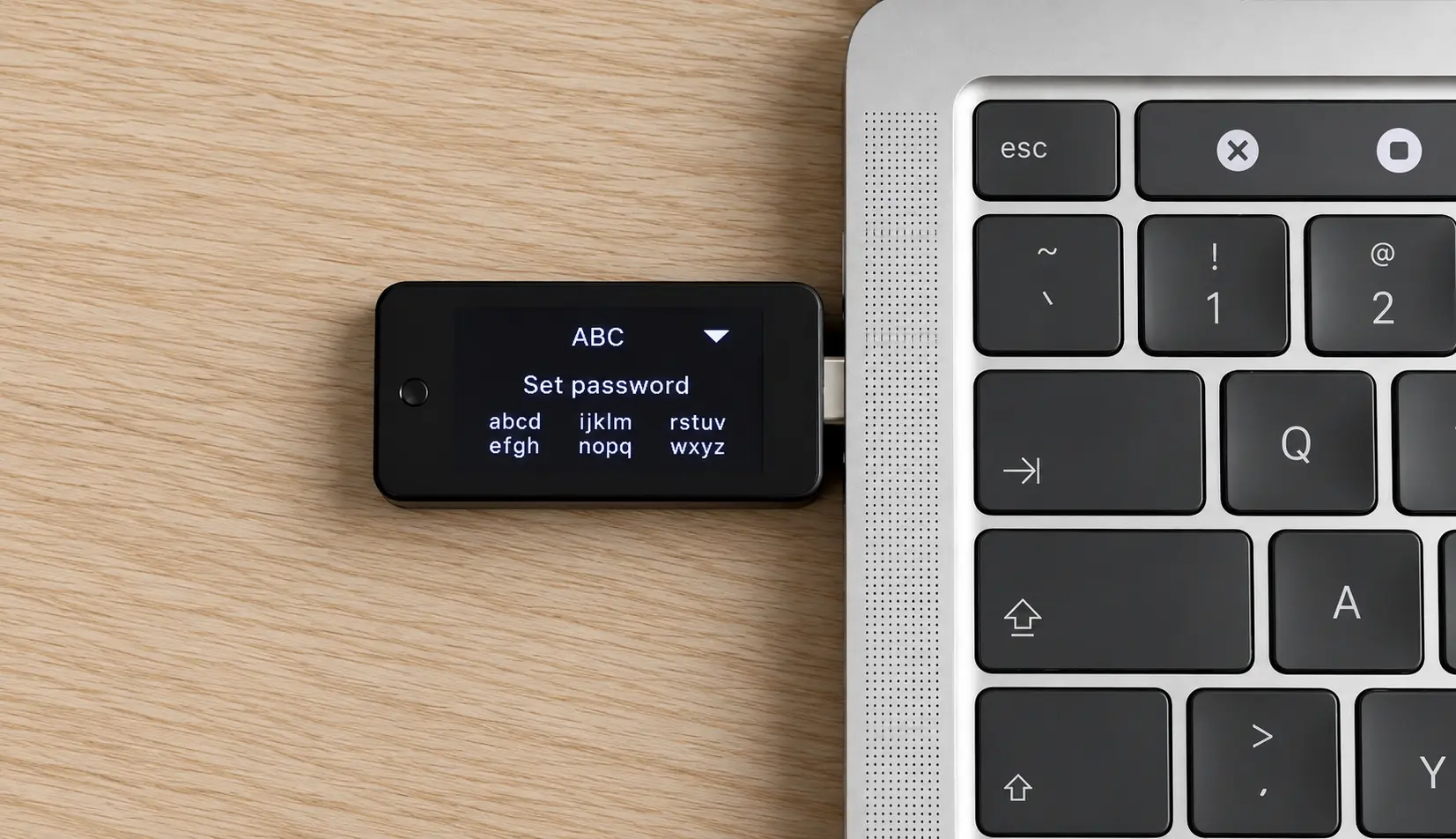
Step 2: Once BitBoxApp is installed, connect your BitBox02 to the computer.
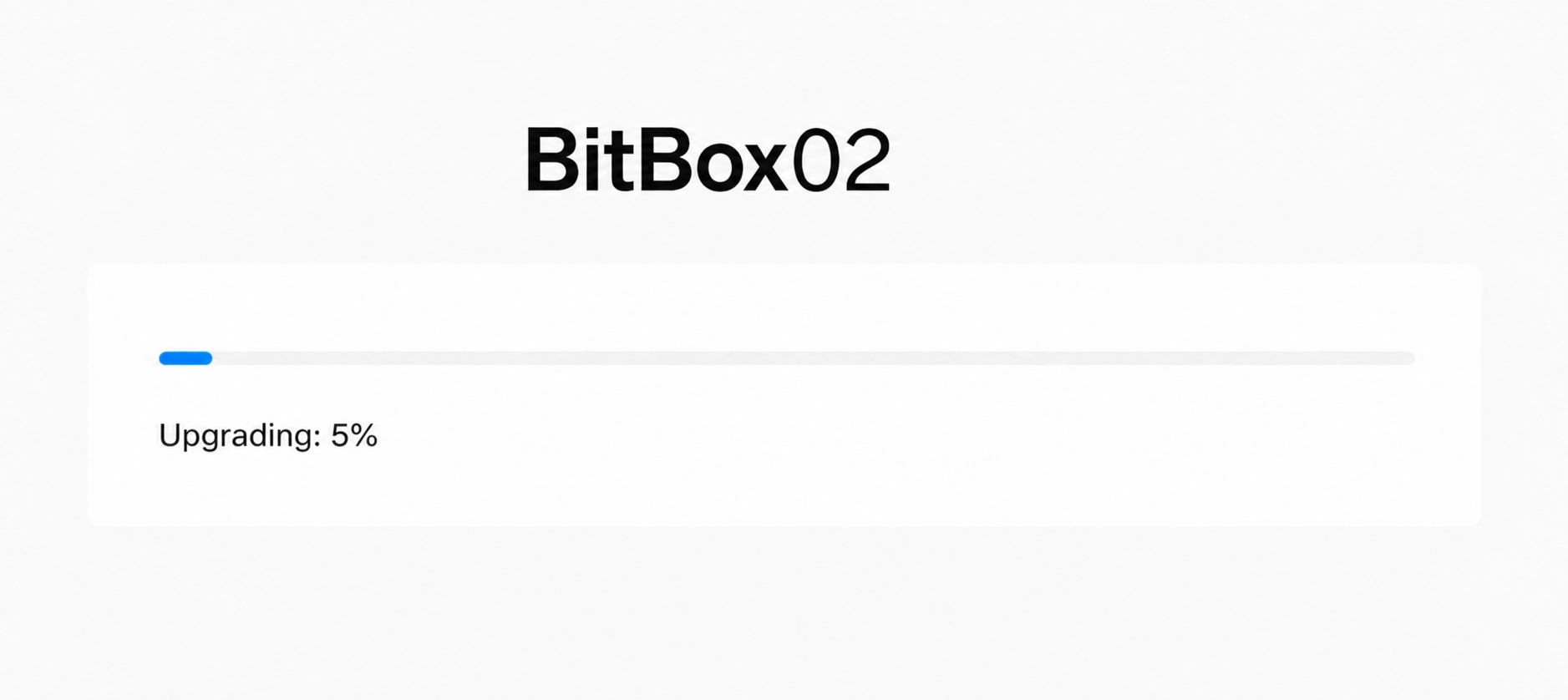
Step 3: BitBoxApp may prompt you to update the device firmware. Allow the update to finish, which should take a few minutes, and do not disconnect the wallet during this process.
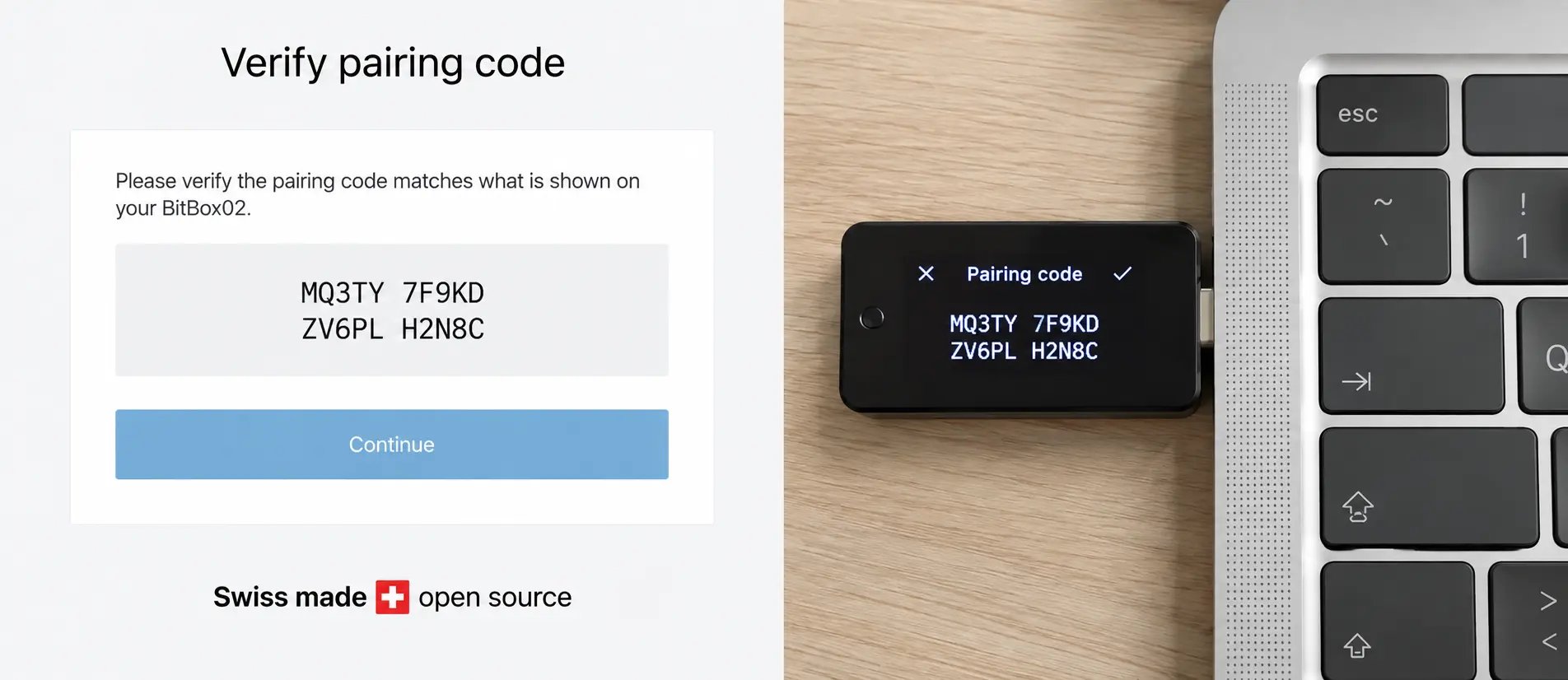
Step 4: A pairing code will appear in BitBoxApp and on the BitBox02 display. Check that both codes match, then confirm the pairing on the device.
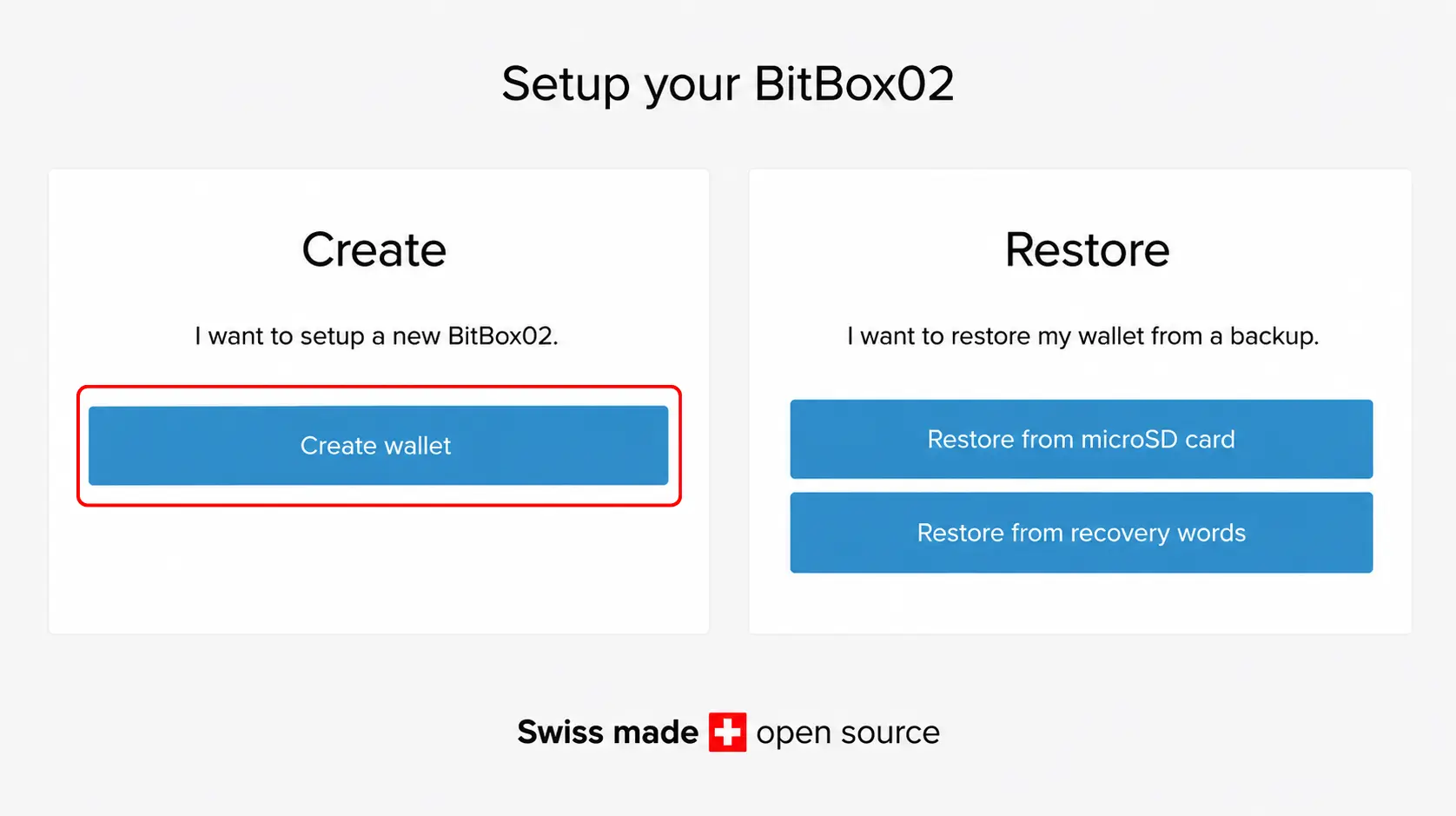
Step 5: You can now create a new wallet or restore an existing one using recovery words or a microSD card backup. Select Create wallet to continue with a new setup.
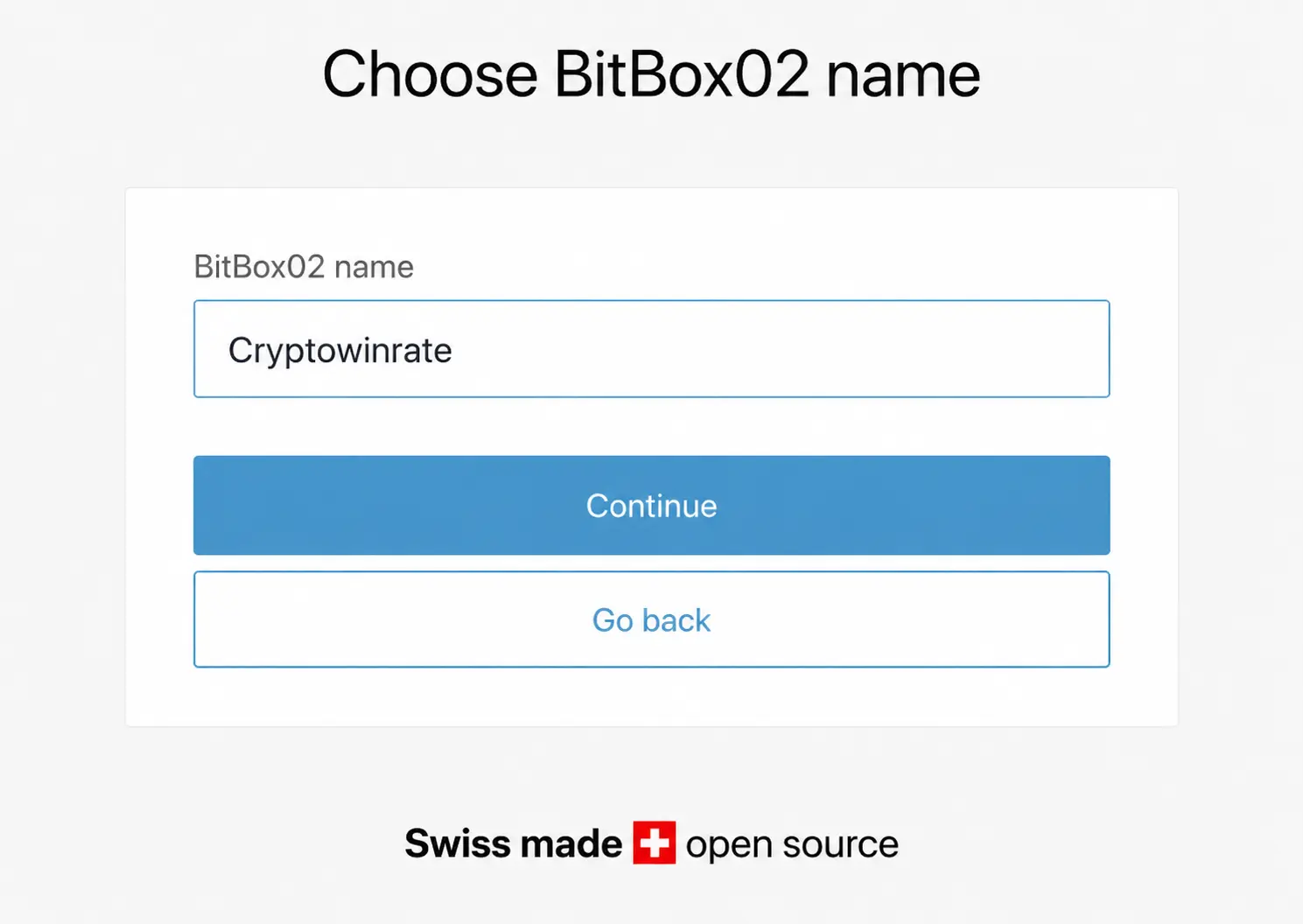
Step 6: Enter a name for your wallet in BitBoxApp, then confirm it on the BitBox02 display using the touch controls.
Step 7: Create a device password. Use the touch sensors to enter and confirm it according to the instructions shown on the display.
Step 8: You will next be asked to create a wallet backup. Insert the included microSD card into the BitBox02, then select Continue.
Step 9: You can also display the recovery words on the BitBox02. Record each word in the correct order and use the touch controls to move through the complete recovery phrase.
Step 10: Store your recovery words securely, then select Get Started on the BitBox02 to exit the setup screen. Your wallet is now ready to use.
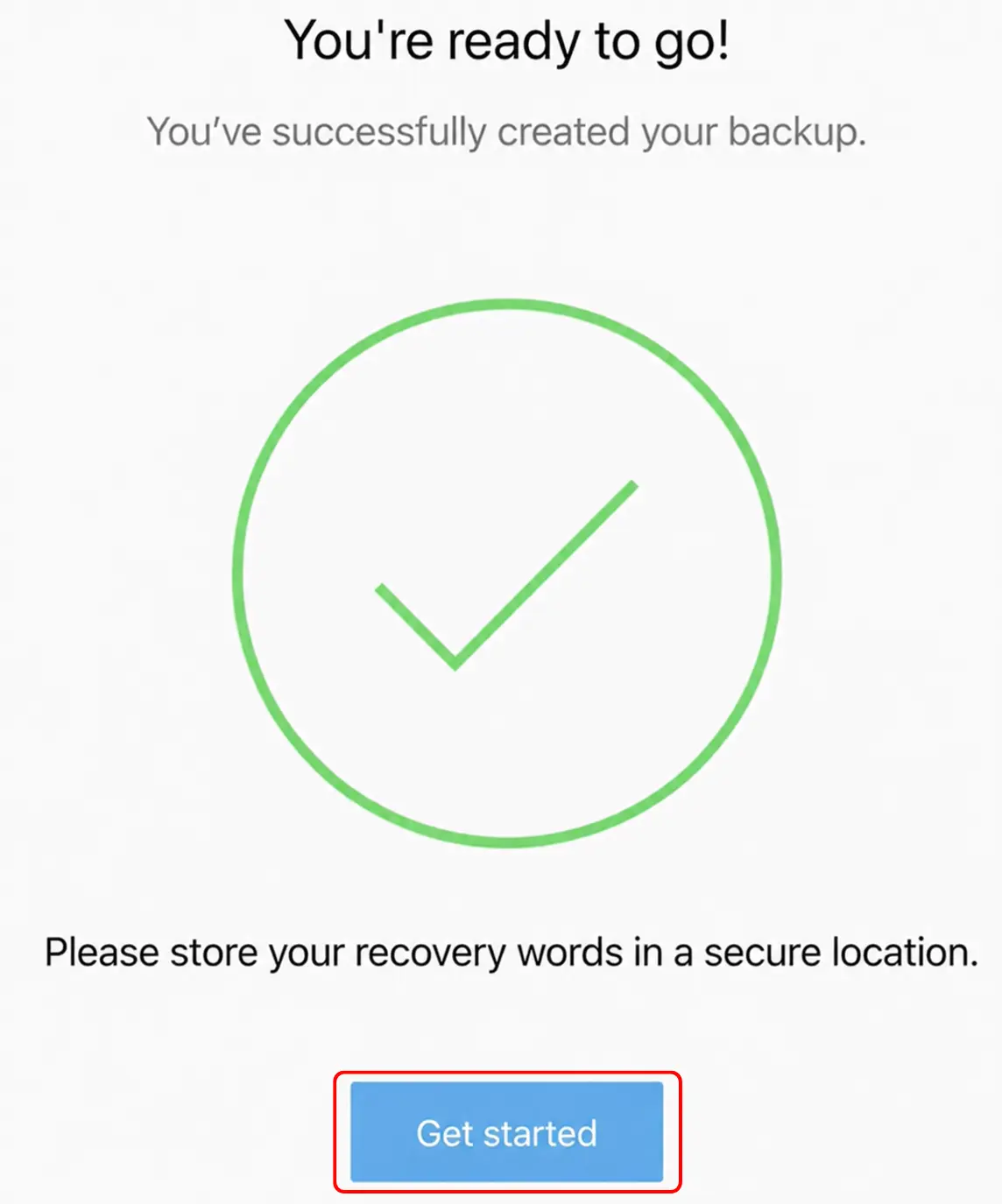
Once setup is complete, you can open BitBoxApp to add accounts, generate receiving addresses, and manage your supported crypto assets.
BitBox02 Pricing & Fees
Whether you choose the BitBox02 Multi Edition or Bitcoin-only Edition, you will pay the same price of $162. There is no subscription fee after purchasing the device, while BitBoxApp and future firmware updates are available free of charge.
You can also purchase BitBoxCare separately if you want longer warranty protection and faster support. It extends the standard 2-year warranty to 4 years and gives you one year of priority customer support, with a response promised by the next business day.
The BitBox shop also sells optional accessories, including the BitBox Backup Card, Steelwallet, and Steelwallet Pro. You will still pay blockchain network fees when transferring crypto, while third-party purchasing services inside BitBoxApp may charge their own processing fees.
BitBox02 Supported Chains and Assets
The BitBox02 Multi Edition natively supports Bitcoin, Litecoin, Ethereum, Cardano, and ERC-20 tokens through BitBoxApp. This includes tokens such as USDT, USDC, DAI, Chainlink, and other assets issued on Ethereum. However, its native selection remains limited if you hold coins across several independent blockchains.
You can manage additional assets by connecting BitBox02 to compatible third-party wallets. Electrum provides more advanced Bitcoin controls, while AdaLite supports Cardano. For Ethereum, ERC-20 tokens, and compatible EVM networks, you can use Rabby or connect supported applications through WalletConnect in BitBoxApp. MetaMask does not currently offer direct BitBox02 integration.
The Bitcoin-only Edition supports BTC exclusively. Its firmware removes code related to altcoins, giving Bitcoin holders a more focused setup with a smaller software attack surface. NFTs are not managed natively through BitBoxApp.
BitBox Customer Support
If you need assistance, BitBox provides an online support center with setup instructions, troubleshooting articles, and answers to common questions. You can contact the support team through its chatbot or submit a request using the contact form.
With BitBoxCare, the company promises a response from its support specialists by the next business day. Standard support does not provide the same guaranteed response time.
Bitbox02 Security and Self-Custody
When you create a wallet on the BitBox02, the wallet seed is generated and stored in encrypted form on the device’s microcontroller. Your computer or Android phone handles the BitBoxApp, balances, and blockchain communication, while the hardware wallet manages private keys and transaction approval. Before signing, the receiving address, amount, and other transaction details appear on the BitBox02 screen for confirmation through its touch controls.
Unlike an air-gapped wallet, BitBox02 must remain connected through USB while in use. However, private keys are not transferred to the connected device. Communication between the wallet and computer is encrypted using the Noise Protocol, which prevents malware monitoring the USB connection from reading the exchanged information. You should still verify every transaction on the wallet’s screen, as the device cannot protect you if you approve a malicious address or incorrect amount.
Its dual-chip architecture combines an open-source microcontroller with an ATECC608B secure chip. Access to the encrypted wallet seed requires separate secrets stored on the microcontroller and secure chip, along with your device password. The secure chip also limits password attempts, making physical brute-force attacks considerably harder. While the secure chip itself is closed-source, the firmware, BitBoxApp, hardware schematics, and device X-rays are publicly available. Firmware builds are reproducible, allowing researchers to compare the installed software with the published source code.
The secure bootloader only accepts firmware signed by Shift Crypto. It blocks firmware intended for the other BitBox02 edition, prevents downgrades to older versions, and can display the firmware hash before startup. Device attestation also allows BitBoxApp to check whether the connected wallet is a genuine BitBox02. Anti-klepto protection helps prevent malicious firmware from leaking private keys through manipulated transaction signatures.
Physical tampering is addressed through security-grade epoxy covering the microcontroller and secure chip. The casing also uses permanently bonded pins that break when its two halves are separated. Once opened, the casing cannot be cleanly reattached, leaving visible evidence of tampering.
You can protect access with a device password and add an optional BIP-39 passphrase to create a separate hidden wallet. For recovery, BitBox02 can save an instant backup to the included microSD card or display the recovery words for manual storage. Some users may prefer the microSD option because it avoids spelling mistakes or unclear handwriting. This comes down to personal preference, as you can view the recovery words later and record them separately.
Is the BitBox02 Safe to Use?
Yes, the BitBox02 is generally considered safe for self-custody when purchased from an official source and used correctly. Its dual-chip architecture, open-source firmware, secure bootloader, encrypted USB communication, device authenticity checks, and physical tamper protection make key extraction difficult. Transaction details must still be verified on the device screen before approval. Your recovery backup and passphrase remain your responsibility, because BitBox cannot restore lost credentials or reverse transactions. Phishing, malicious addresses, and poor backup storage remain the main user-level risks.
BitBox02 vs. Ledger Nano X
BitBox02 and Ledger Nano X are compact USB-C hardware wallets with the same 128 × 64-pixel OLED resolution, but their controls and software take different approaches. BitBox02 weighs 12g and uses capacitive touch sensors, while Nano X weighs 34g and relies on physical buttons.
The larger difference appears in mobile access and asset support. Nano X includes a rechargeable battery and Bluetooth, allowing you to use it with both Android and iOS devices. It also supports thousands of coins, tokens, and NFTs through Ledger Wallet and third-party apps. BitBox02 has no battery or Bluetooth, works with Android but not iOS, and supports fewer assets.
BitBox02 provides fully open-source and reproducible firmware, along with Bitcoin-focused tools such as Tor, coin control, Electrum integration, and personal node connections. Nano X uses a CC EAL5+ certified secure element but runs Ledger’s partly closed-source operating system. BitBox02 is better suited to transparency and Bitcoin-focused use, while Nano X offers stronger mobile compatibility and asset support.
BitBox02 Alternatives
If BitBox02 does not match your requirements, these alternatives focus on different priorities.
1. Ledger Nano X: For greater asset support and iPhone compatibility, Ledger Nano X supports thousands of coins and tokens while providing Bluetooth access through Ledger Wallet.
2. ELLIPAL Titan 2.0: For air-gapped signing, ELLIPAL Titan 2.0 transfers transaction data through QR codes and has no Wi-Fi, Bluetooth, NFC, cellular connection, or USB data connection. Its sealed metal casing also provides visible anti-tamper protection.
| Feature | BitBox02 | Ledger Nano X | ELLIPAL Titan 2.0 |
|---|---|---|---|
| Price | $162 | $149 | $149 |
| Screen | 128 × 64px OLED | 1.1″ OLED | 4″ IPS touchscreen |
| Controls | Capacitive touch | Physical buttons | Touchscreen |
| Connection | USB-C | USB-C and Bluetooth | QR codes |
| Mobile Support | Android only | Android and iOS | Android and iOS |
| Main Feature | Open-source firmware | Extensive asset support | Air-gapped signing |
| Best For | Bitcoin-focused security | Multi-asset mobile use | Offline QR transactions |
| Buy Now | Buy Now | Buy Now | Buy Now |
Bottom Line
Crypto security starts with protecting your keys. If you are looking for a simple hardware wallet for self-custody, the BitBox02 combines a compact USB-stick design with open-source firmware, dual-chip protection, and an accessible companion app. It keeps setup and backups manageable while providing advanced Bitcoin features.
The limited asset support may not suit you if you hold several cryptocurrencies. The original model also lacks iOS compatibility, while the capacitive controls require you to switch the wallet between vertical and horizontal positions when entering passwords or approving actions. This can become inconvenient during regular use. If these limitations affect how you plan to manage your crypto, you can check other hardware wallet options.
FAQs
You can restore your wallet using the microSD backup or BIP39 recovery words. Losing the device does not mean losing your crypto.
No. It connects through USB, but private keys remain inside the wallet. Transactions must be verified and approved on its screen.
The original BitBox02 does not support iOS. iPhone and iPad users can use the newer BitBox02 Nova instead.
The Bitcoin-only Edition suits Bitcoin users, while the Multi Edition supports Bitcoin, Litecoin, Ethereum, Cardano, and ERC-20 tokens.
Yes. You can add a BIP39 passphrase to create a separate wallet, but BitBox cannot recover it if forgotten.