Coinbase Wallet Review: From Coinbase Wallet to Base App

On this page
On this page
- Coinbase Wallet Overview
- Coinbase Wallet Pros and Cons
- Getting Started With Coinbase Wallet
- Coinbase Wallet Supported Networks
- Coinbase Wallet Fees
- Coinbase Wallet Products and Services
- Coinbase Wallet Security
- Coinbase Wallet Customer Support
- MetaMask vs Coinbase Wallet
- Is Coinbase Wallet Safe?
- Bottom Line
- FAQs
-
- •Coinbase Wallet is now the Base app, adding social and on-chain features to self-custody.
- •The Base app experience is mobile-first; most features are only on iOS and Android.
- •Network support depends on the wallet type; check the supported-networks section before transferring.
- •Social posts can be monetized as ERC-20 tokens, enabling creator earnings through trading activity.
- •Fiat funding and internal transfers require a verified Coinbase account and completed KYC.
- •Security is standard self-custody: seed phrase control, biometrics, and no built-in 2FA.
Since its launch in 2018, Coinbase Wallet has existed as the self-custodial counterpart to one of the most well-known crypto exchanges in the United States, Coinbase. Backed by a familiar brand, the wallet earned trust primarily from users already active on the Coinbase exchange. Despite that credibility, adoption remained relatively modest for years. That dynamic is now shifting. With Brian Armstrong outlining a vision for a crypto super app, Coinbase Wallet has evolved into what is now called the Base app, signaling a move beyond basic storage and transfers.
The introduction of social and on-chain features has redirected user interest toward what Coinbase Wallet is trying to become rather than what it used to be. In this Base App review, we will look into what the Coinbase wallet currently offers and how closely it matches the direction Coinbase has promised.
Coinbase Wallet Overview
Coinbase Wallet was launched in 2018 by Coinbase as a self-custodial wallet that allowed users to hold and manage crypto outside the Coinbase exchange. The product was developed under the leadership of Brian Armstrong and was primarily positioned as a companion to the exchange rather than a full-scale Web3 wallet. Early adoption was driven largely by brand familiarity, while network coverage and feature depth remained limited compared to wallets built specifically for decentralized applications.
This positioning has changed as Coinbase outlined a broader crypto super app strategy. Coinbase Wallet has since been repositioned as the Base app, reflecting a shift toward on-chain activity beyond storage and transfers.
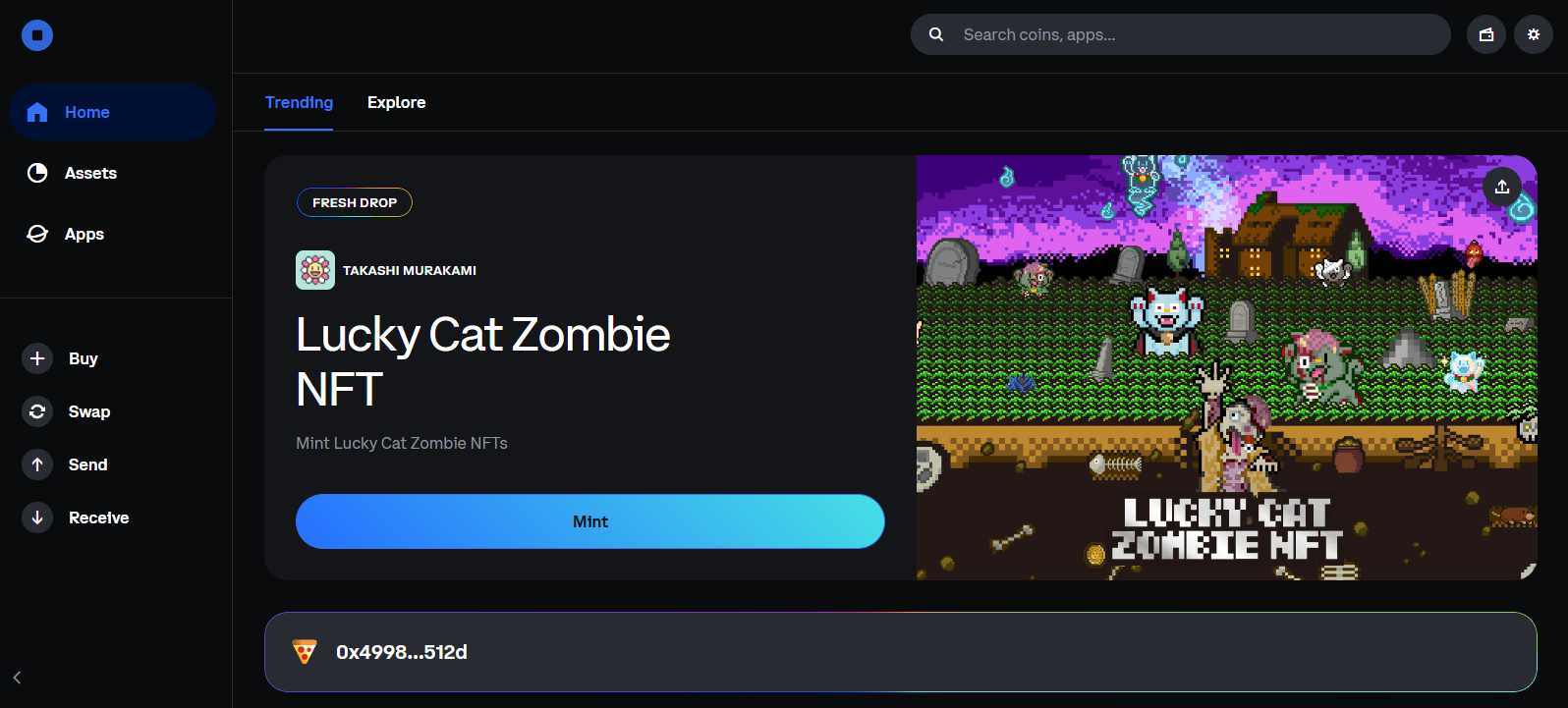
The supported-networks section below distinguishes passkey wallets from email/social and recovery-phrase wallets.
The Base app introduces a social layer that works more like Instagram than a traditional crypto product. Users can publish posts directly from the app, with the option to make those posts tradable as NFTs. Posting feels familiar and simple, while ownership and trading happen on-chain. This approach mirrors the direction taken by social NFT platforms such as Zora, which gained attention on the Base network. From a security standpoint, Coinbase Wallet follows standard self-custody practices, using seed phrases and biometric access on mobile, with no built-in two-factor authentication.
Coinbase Wallet Pros and Cons
| 👍 Base App Pros | 👎 Base App Cons |
|---|---|
| ✅ Full self-custody with private key control | ❌ Base app limited to mobile only |
| ✅ EVM support across wallet types | ❌ Extension availability restricted by region |
| ✅ Social trading and creator monetization tools | ❌ Non-EVM support limited to transfers |
| ✅ Built-in swaps, NFTs, and dApp browser | ❌ Fiat on-ramp requires Coinbase KYC |
| ✅ Ledger hardware wallet support available | ❌ Non-EVM networks lack dApp functionality |
| ✅ Easy internal transfers from Coinbase exchange |
Getting Started With Coinbase Wallet
Getting started with Coinbase Wallet is straightforward and does not require prior use of the Coinbase platform. While a Chrome extension exists, its availability is limited in several regions and it does not provide access to Base app features. If you want to use the Base app experience, the mobile app on iOS or Android is the only option.
After installing the app, users initially see the Coinbase Wallet interface, where they can access the dApp explorer, swap tokens, or send and receive tokens and NFTs. To enter the social trading experience, users can open the dashboard and switch to the “Base app” section within the wallet.
Coinbase Wallet Supported Networks
Support depends on your wallet type. Passkey smart wallets support EVM networks; email/social and recovery-phrase wallets also support Bitcoin and Solana. Bitcoin uses a separate address.
| Network | Wallet type |
|---|---|
| Arbitrum (ARB) | All wallet types |
| Avalanche C-Chain (AVAX) | All wallet types |
| Base | All wallet types |
| BNB Chain (BSC) | All wallet types |
| Ethereum (ETH) | All wallet types |
| Monad (MON) | All wallet types |
| Optimism (OP) | All wallet types |
| Polygon (POL) | All wallet types |
| Robinhood Chain | All wallet types |
| Zora | All wallet types |
| Bitcoin (BTC) | Email/social or recovery-phrase wallet |
| Solana (SOL) | Email/social or recovery-phrase wallet |
No match in this reviewed list. Check the wallet’s Receive screen and official support page before sending funds.
Reviewed September 20, 2026 against Coinbase’s network-support page. Classic-wallet support changed on August 15. Confirm the asset and network in Receive before transferring; availability in the Coinbase exchange account can differ.
Coinbase Wallet Fees
Coinbase Wallet does not charge account or usage fees. Users only pay standard network fees when sending assets or interacting on-chain. If you use the built-in swap feature, a swap fee applies in addition to gas costs. Other features, including social activity in the Base app, do not currently carry separate platform fees.
Coinbase Wallet Products and Services
Now let’s take a look at how Coinbase Wallet, now the Base app, positions itself differently from other self-custodial wallets through its features and services.
Browser Extension
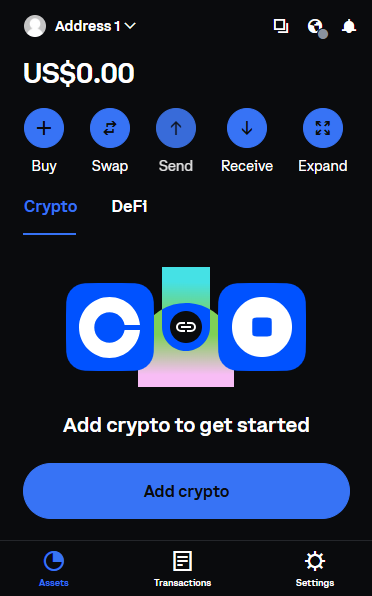
The Coinbase Wallet browser extension exists, but its availability is limited by region and it does not provide access to Base app features. Check the network list in your installed wallet before sending an asset. As a result, the extension works more as a lightweight companion rather than a full Web3 interface.
Mobile App
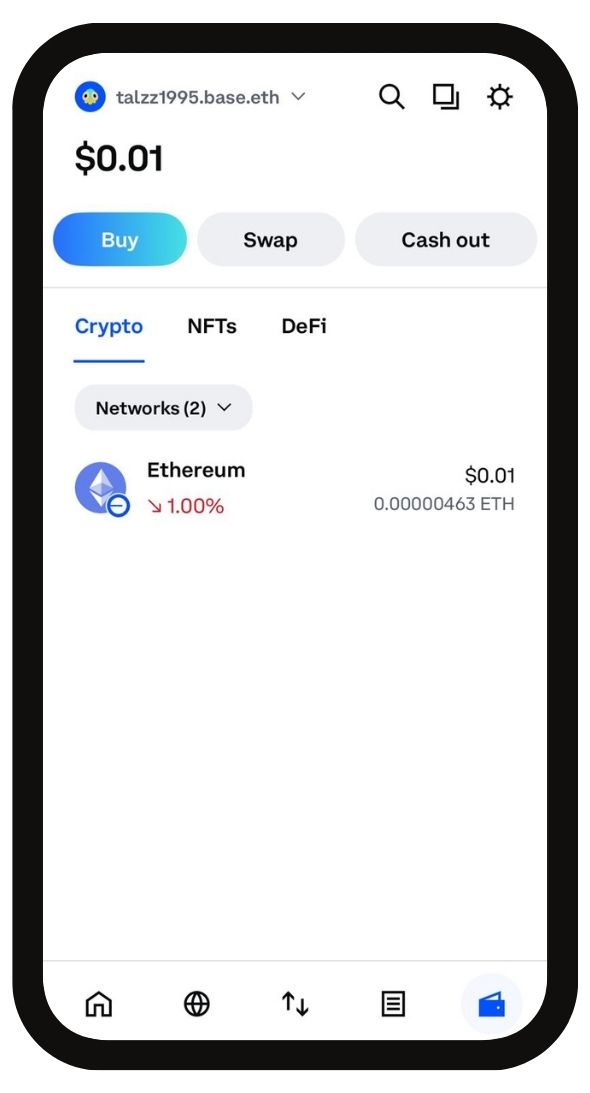
The mobile app on iOS and Android is the primary way to use Coinbase Wallet and access the Base app. This is where the full feature set is available, including EVM network support, dApp access, NFTs, and social features. By default, users land in the standard wallet view, with options to send, receive, and manage assets. The Base app experience is accessed from within the app, making mobile the only platform where Coinbase’s broader on-chain strategy is fully implemented.
Base App
The Base app adds a social layer to Coinbase Wallet that feels closer to an Instagram-style feed than a traditional crypto interface. Users can post text, images, or videos directly from the app, browse a social feed, and interact with other creators. A built-in chat feature allows direct communication, reinforcing the app’s focus on social interaction alongside on-chain activity.
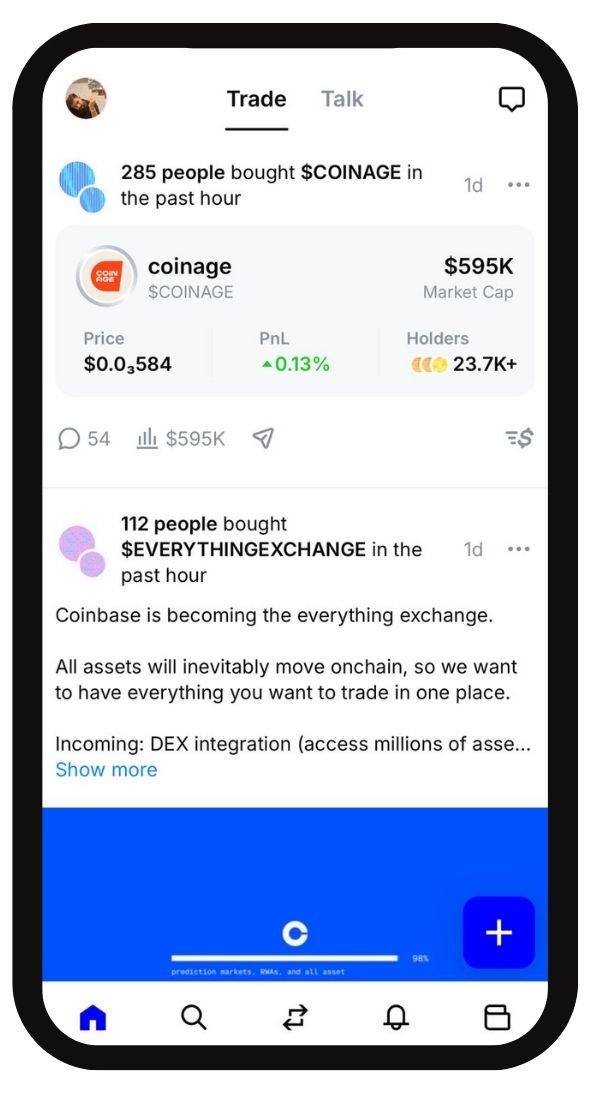
Posts can be published as standard content or made tradable. When a post is buyable, the app automatically creates an ERC-20 token tied to that post, allowing others to buy and trade it. Creators receive 1% of the token supply at creation and earn trading fees whenever the token changes hands. Earnings are deposited directly into the wallet. Coinbase currently absorbs coin creation fees, though this may change for high-volume creators.
Swap
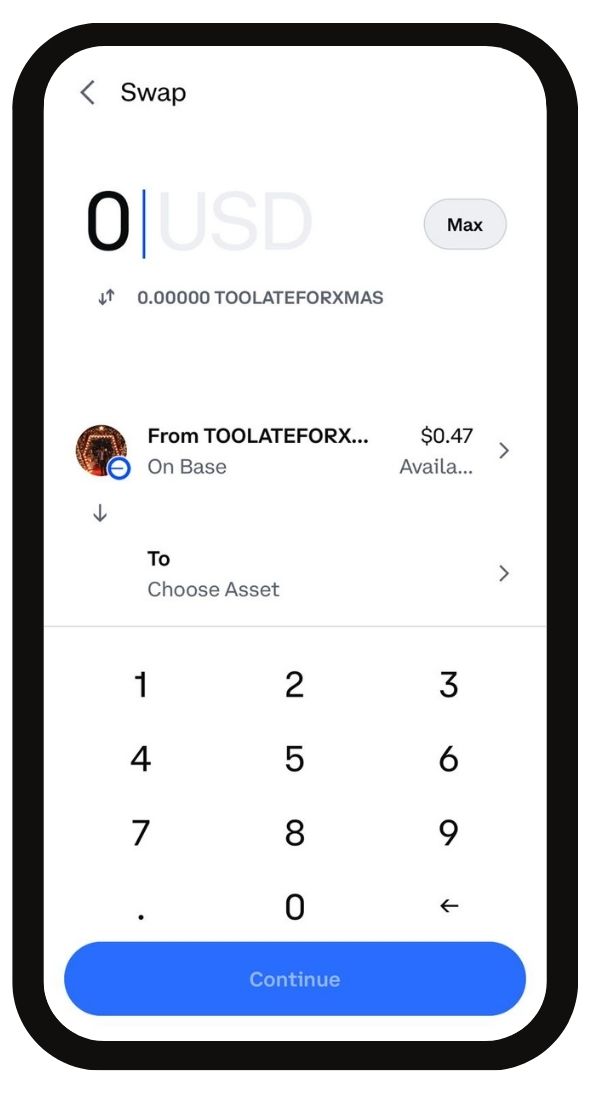
Coinbase Wallet includes a built-in swap feature that allows users to exchange tokens directly within the app without moving funds to an external exchange. Swaps are routed through decentralized liquidity sources and executed on supported EVM networks. Users pay standard network fees, along with a swap fee applied by the wallet. The swap interface is simple and integrated into the wallet, making it suitable for routine conversions rather than advanced trading or price optimization.
FIAT Ramp
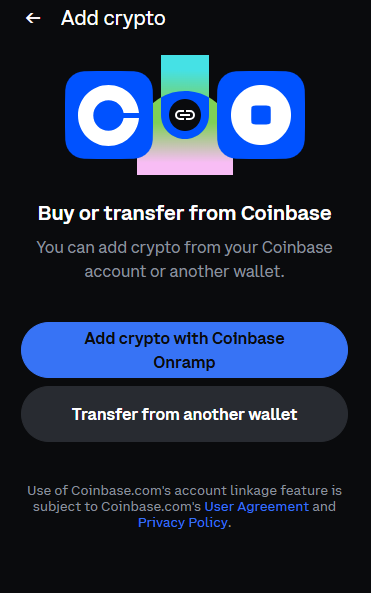
The fiat on-ramp in Coinbase Wallet is directly linked to the Coinbase exchange. To fund the wallet with fiat, you must complete KYC on Coinbase and link your exchange account. This can be a downside for users who prefer no-KYC access or want to keep wallet activity separate from centralized platforms. It can also be unavailable in regions where Coinbase services are restricted. In addition to fiat funding, you can transfer assets directly from the Coinbase exchange to the Base app through an internal transfer, without using external wallet addresses. For country-specific limits, see our Coinbase restricted countries guide.
dApp Browser
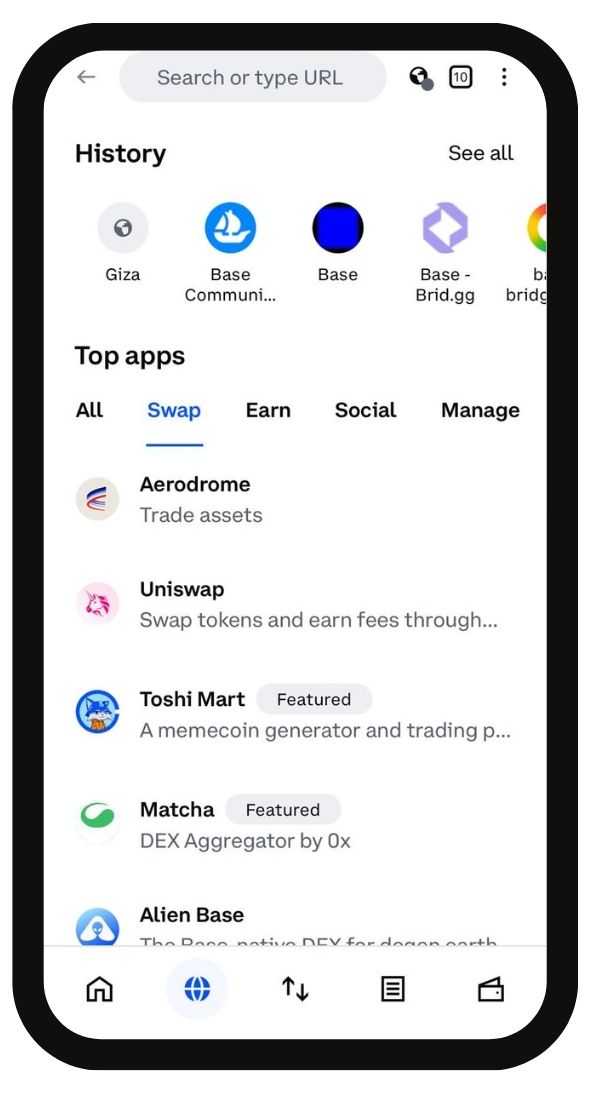
The dApp browser in Coinbase Wallet is available through the mobile app and supports applications built on Ethereum, Base, and other EVM-compatible networks. Users can access DeFi platforms, NFT marketplaces, and on-chain tools directly without leaving the wallet. The browser does not support dApps on non-EVM networks such as Bitcoin or Solana, keeping usage focused on EVM ecosystems where full interaction is supported.
Coinbase Wallet Security
Coinbase Wallet operates on a self-custody model, meaning users have full control over their private keys and assets. The recovery phrase is generated locally, and no one, including Coinbase, can access tokens or NFTs without it. The wallet itself does not require email registration or KYC, keeping access independent from the Coinbase exchange.
On mobile devices, security options include app-level passwords along with biometric protection such as fingerprint or face unlock. Like most self-custodial wallets, there is no built-in two-factor authentication, so security relies on device protection and proper recovery phrase management.
For users who want an extra layer of protection, the Coinbase Wallet browser extension supports integration with Ledger hardware wallets, allowing assets to remain secured by a hardware device while interacting with supported networks.
Coinbase Wallet Customer Support
Coinbase Wallet does not offer dedicated in-app customer support chat. Support is handled through the Coinbase help center, where users can submit tickets or contact support through official channels. Any chat features inside the Base app are social in nature and not meant for customer assistance. Issues related to fiat ramps, transfers, or account verification are handled through Coinbase’s standard support system, which primarily relies on online requests rather than real-time chat.
MetaMask vs Coinbase Wallet
From a functionality and feature depth perspective, MetaMask remains the more mature self-custodial wallet. It supports a wider range of networks through custom RPCs and offers native integrations for advanced use cases such as prediction markets, staking, and perpetual trading. While users can access similar activities in the Base app, including perps through protocols like Hyperliquid, the experience is not as deeply integrated and often relies on external dApps.
Where Coinbase Wallet, now the Base app, positions itself differently is social trading. Unlike MetaMask or other hot wallets, the Base app introduces a social layer that allows creators to publish, monetize, and build an on-chain following. Backed by Coinbase’s user base and distribution, this approach supports a broader crypto super app vision centered on the Base network rather than purely wallet functionality.
Is Coinbase Wallet Safe?
Yes, Coinbase Wallet is safe to use as a self-custodial wallet when used correctly. It gives users full control over their private keys through a recovery phrase stored locally on the device. No email or KYC is required to create the wallet. Security features include app passwords and biometric access on mobile, with optional Ledger hardware wallet support on the browser extension where available. Like other self-custodial wallets, it does not offer built-in two-factor authentication, so safety depends on device security and proper seed phrase management.
That said, safety in practice is shaped not only by wallet design but also by user behavior and how the wallet is used in real-world conditions. Public user reports highlight recurring issues that are worth understanding before relying on the wallet for regular use.
| ⚠️ Reported Issue | Summary |
|---|---|
| 🚫 Address flagged as suspicious | Transfer warnings blocked transactions |
| 🚫 Losses during transfers | Fees and slippage reduced balances |
| 🚫 Wallet access temporarily frozen | Funds inaccessible for extended periods |
| 🚫 Phishing scams caused major losses | Fake support led to compromised wallets |
| 🚫 Customer support response delays | Tickets unresolved for long durations |
| 🚫 Withdrawals delayed or blocked | Support slow to resolve issues |
Bottom Line
Coinbase Wallet has changed meaningfully from its earlier form, and the shift toward the Base app explains why interest around a coinbase wallet review has picked up recently. The product is moving beyond basic self-custody into social and on-chain interaction, which adds a new dimension not commonly found in wallets. At the same time, this direction comes with trade-offs, including limited non-EVM depth and platform availability constraints. As a self-custodial wallet, it fits users aligned with the Base ecosystem and Coinbase’s broader vision. For those who prioritize a pure EVM-first experience with stronger wallet-native controls, alternatives like Rabby Wallet may still feel more complete.
FAQs
The Base App is Coinbase’s expanded on-chain application that brings together a self-custodial wallet, trading, payments, social features, and mini-apps in one interface. Built around the Base blockchain, it replaces the earlier Coinbase Wallet app and serves as Coinbase’s primary on-chain product.
Your assets remain on-chain, but access to discontinued networks can require a compatible wallet. Follow Coinbase’s official guidance for unsupported assets.
Yes. Eligible users in the United States can earn rewards on USDC holdings, with rates that vary over time. This feature requires linking a verified Coinbase account and is not available in regions such as the EU or Canada.
The Base App supports Base, Ethereum, and other EVM-compatible networks. It also supports Solana assets in limited contexts. Users can manage thousands of tokens and NFTs across supported networks.
Coinbase Wallet, now the Base App, is self-custodial, meaning users control their private keys. The main Coinbase app is custodial, where asset management and key security are handled by Coinbase for convenience and recovery support.