Come importare un wallet esistente in Rabby Wallet

In questa pagina
- •Per importare wallet esistenti su Rabby, è necessario avere la frase di recupero segreta oppure la chiave privata.
- •Rabby Wallet supporta un numero illimitato di wallet, ma ricordati sempre di fare il backup di ognuno per evitare di perderli.
- •Durante l’importazione puoi selezionare altre opzioni, come una chiave privata o un wallet Ledger, se disponibili.
Se vuoi riunire in Rabby Wallet gli account EVM distribuiti su più wallet, ma non sai come fare, sei nel posto giusto. Rabby Wallet permette di importare in pochi minuti una configurazione già esistente, mantenendo sicurezza e praticità e offrendo tutte le funzionalità in un unico wallet. Il passaggio a Rabby non ha alcun effetto sui tuoi fondi, asset o sulle tue attività DeFi. In questa guida spieghiamo come importare un wallet esistente su Rabby Wallet, così da gestire più wallet con maggiore facilità da un’unica piattaforma.
Come importare un wallet esistente su Rabby Wallet
Se stai passando da un wallet self-custody, assicurati di avere a portata di mano la frase seed prima di procedere. Rabby Wallet supporta anche altri metodi di importazione, come le chiavi private e i wallet Ledger. In questa sezione trovi una guida dettagliata per importare facilmente un wallet esistente nell’estensione per browser e nell’app mobile di Rabby Wallet.
Estensione per browser
Se utilizzi l’estensione di Rabby Wallet, ecco tutti i passaggi per importare un wallet esistente:
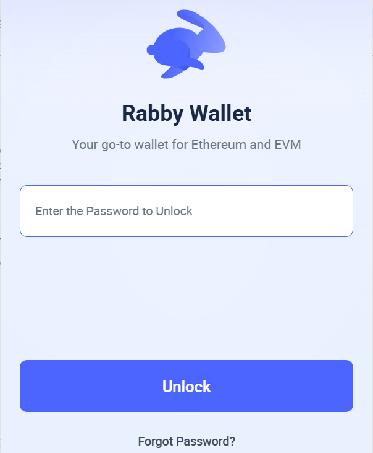
Passaggio 1: Se hai già effettuato l’accesso a un wallet tramite l’estensione di Rabby Wallet, aprila e accedi.
Passaggio 2: Fai clic sull’icona Selettore account per visualizzare tutti gli account associati al wallet.
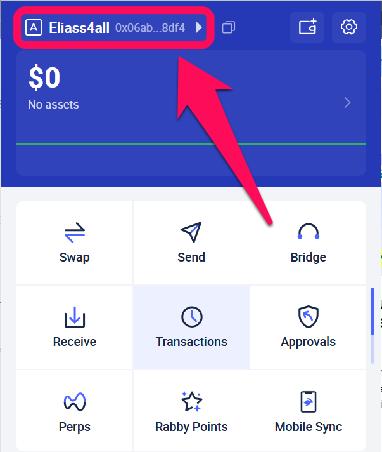
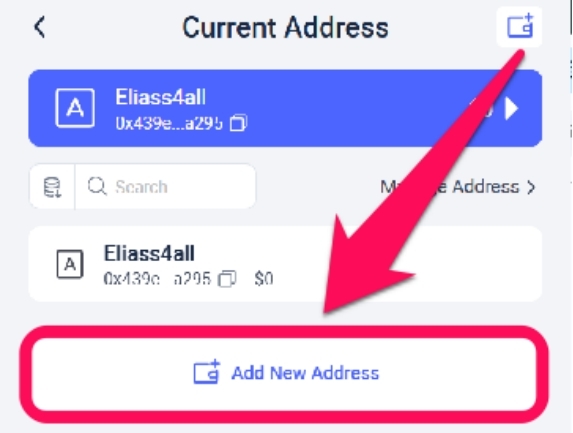
Passaggio 3: Seleziona «Aggiungi nuovo indirizzo» per importare un wallet esistente.
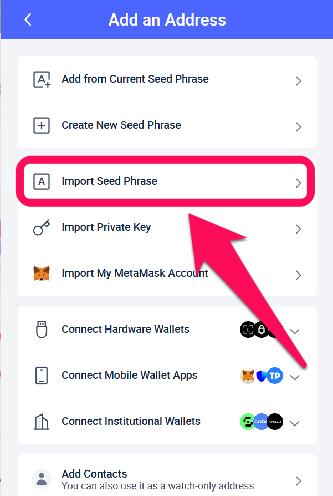
Passaggio 4: Scegli il metodo che preferisci per aggiungere un indirizzo. In questa guida selezioneremo Importa frase seed.
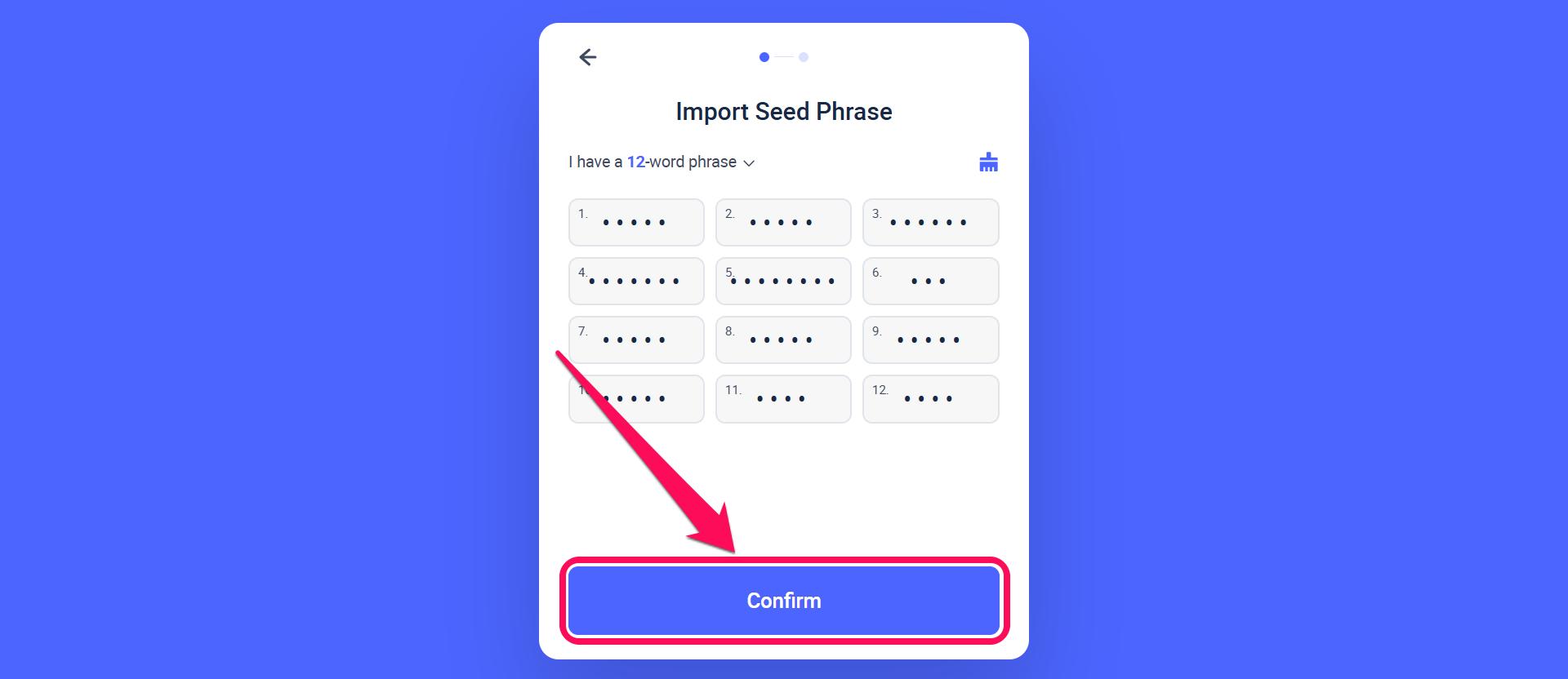
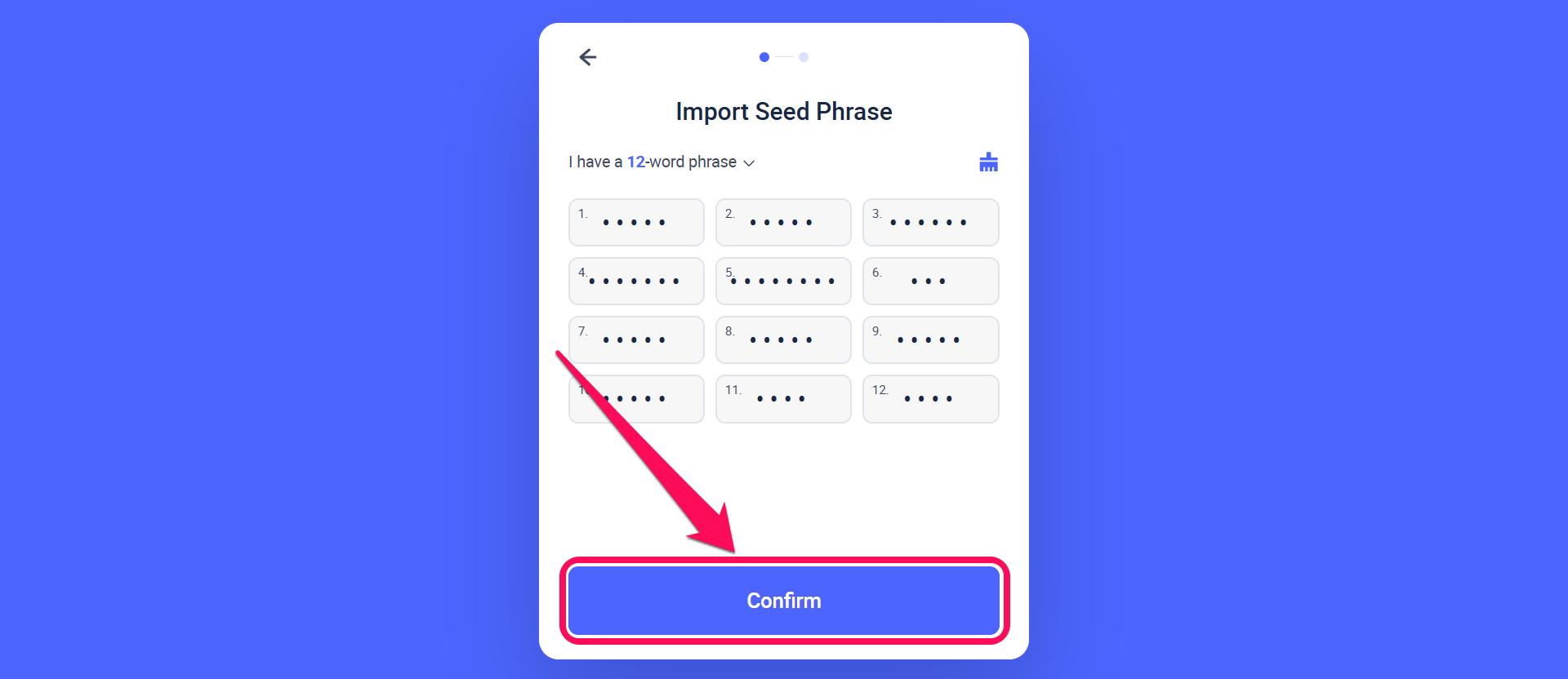
Passaggio 5: Nella pagina che si apre, inserisci con attenzione la frase di recupero segreta di 12 parole, usando lettere minuscole, poi fai clic su Conferma per individuare il wallet associato alla frase.
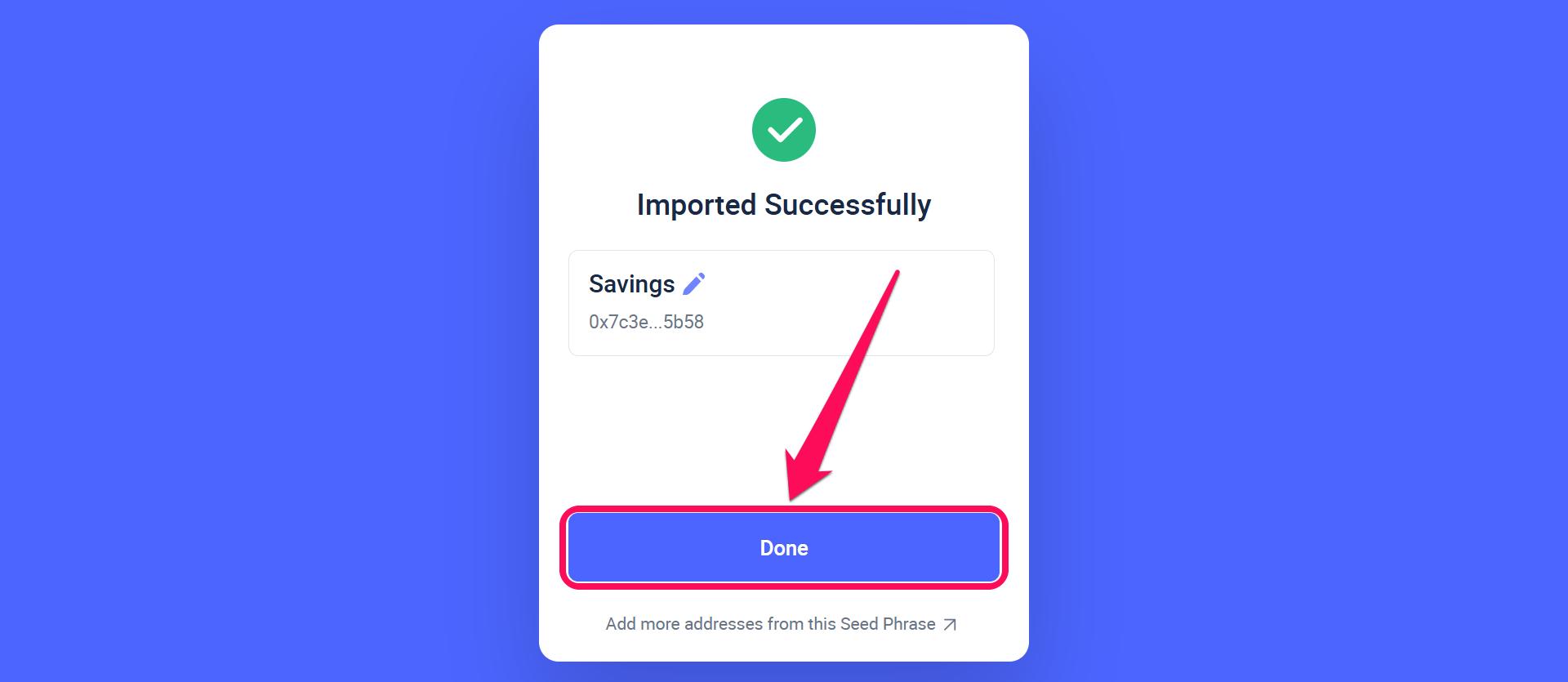
Passaggio 6: A questo punto comparirà un messaggio che conferma l’operazione. Fai clic sull’icona della penna accanto al wallet per rinominarlo, quindi seleziona Fatto per visualizzare il wallet importato.
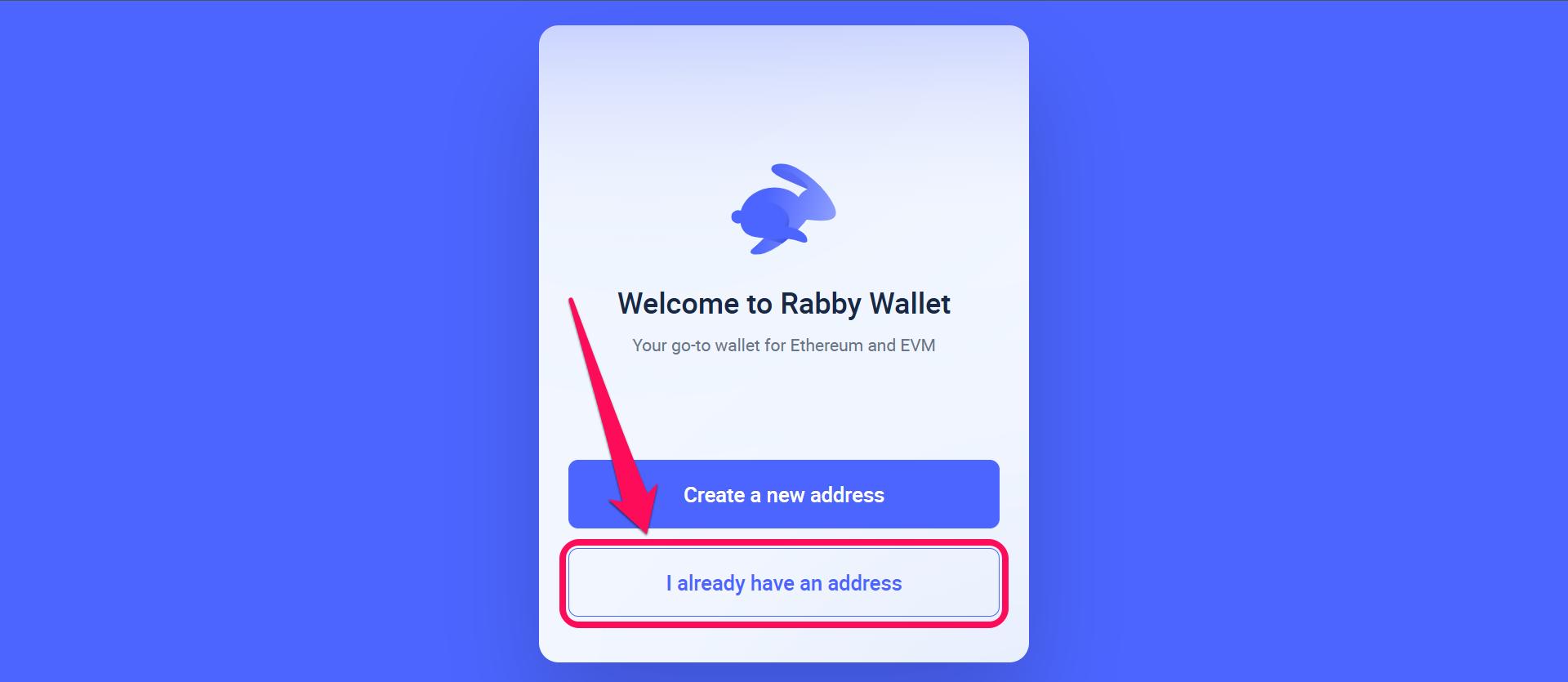
Passaggio 7: Fai clic su Ho già un indirizzo per importare il wallet in Rabby Wallet.
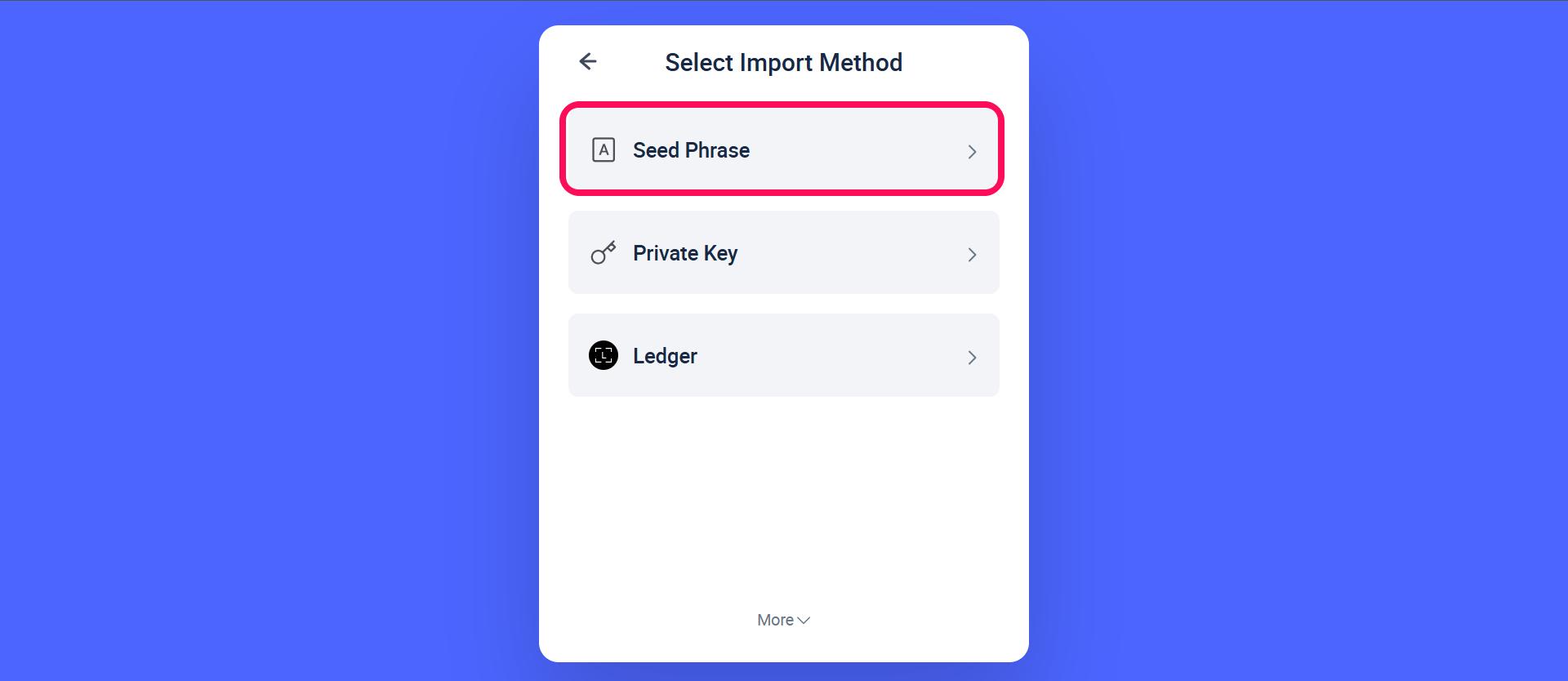
Passaggio 8: Seleziona il metodo di importazione che preferisci: frase seed, chiave privata o Ledger.
Passaggio 9: Se hai scelto la frase seed, inserisci la frase di recupero di 12 parole per trovare e ripristinare il tuo account Rabby esistente.
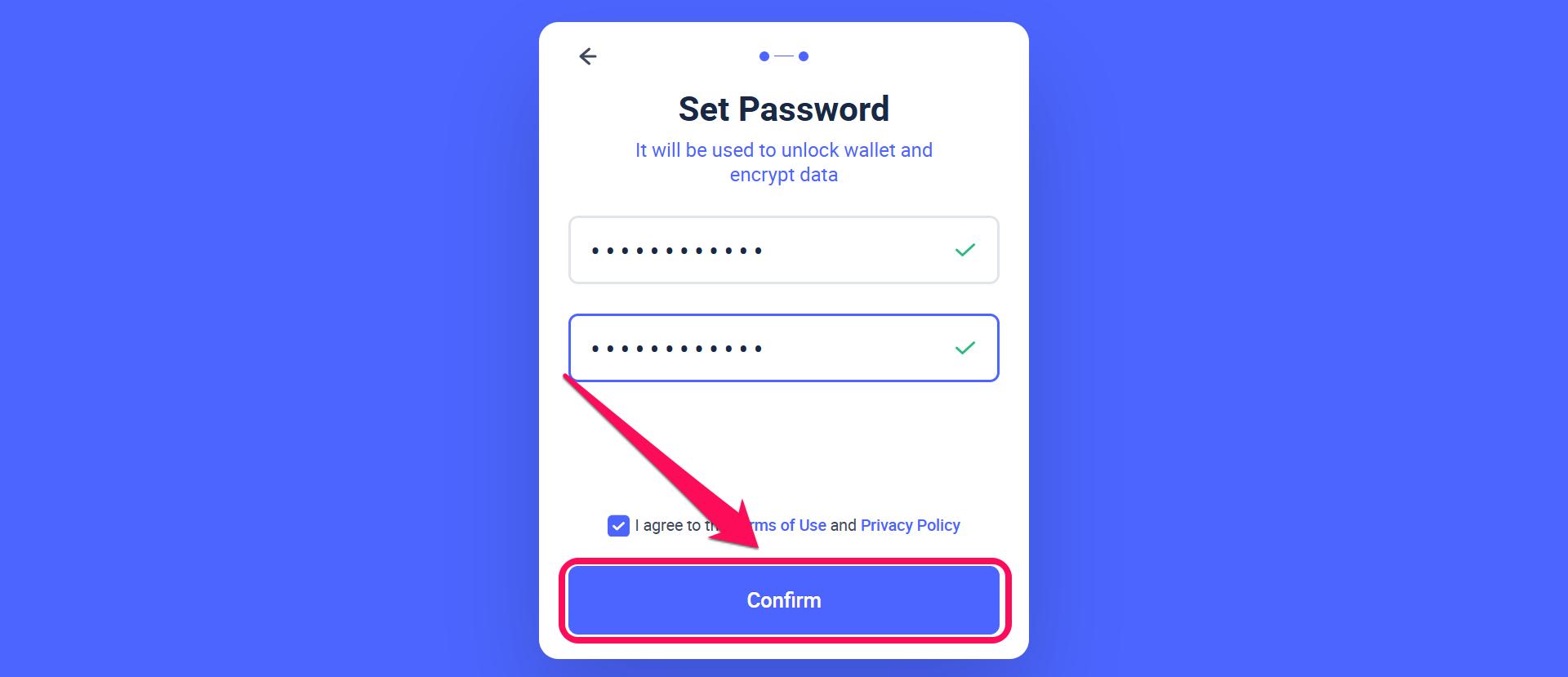
Passaggio 10: Crea una password per bloccare e crittografare i dati locali nell’estensione di Rabby. Se la dimentichi o vuoi modificarla, consulta la nostra guida alla modifica della password del wallet Rabby.
App mobile
Ecco i passaggi da seguire per importare un wallet esistente in Rabby Wallet tramite l’app mobile:Passaggio 1: Se hai già effettuato l’accesso a un wallet e vuoi importarne un altro che possiedi, apri l’app del wallet per accedere al tuo account.
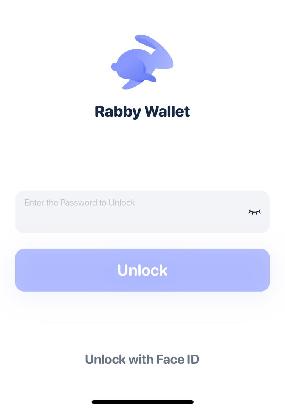
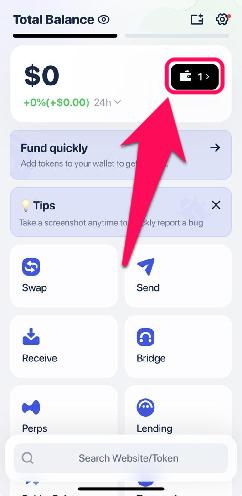
Passaggio 2: Tocca l’icona del wallet per aprire il selettore degli account.
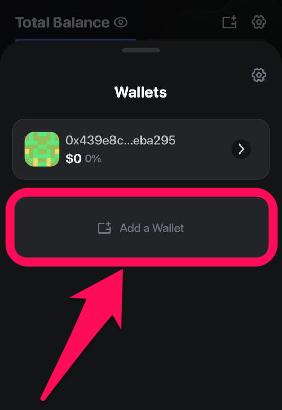
Passaggio 3: Tocca l’opzione “Aggiungi un wallet” per importare un wallet esistente.
Passaggio 4: Seleziona Importa wallet.
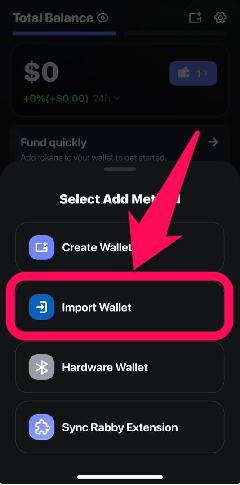
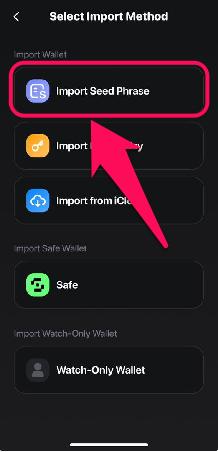
Passaggio 5: Scegli il metodo di importazione. In questa guida useremo Importa frase seed. Inserisci la frase seed e tocca «Fine» per iniziare a usare il wallet appena importato.
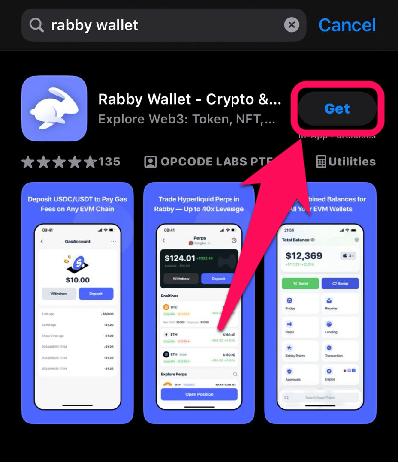
Passaggio 6: In alternativa, scarica l’ app mobile di Rabby Wallet per iniziare.
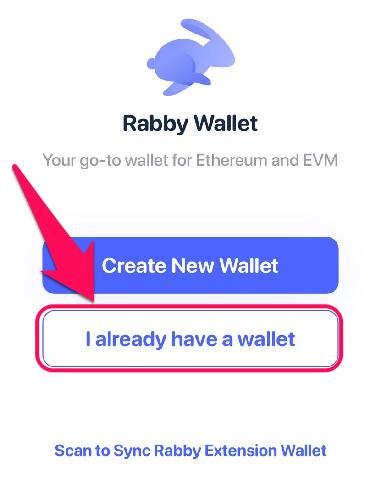
Passaggio 7: Nella schermata di benvenuto, seleziona Ho già un indirizzo dall’elenco delle opzioni.
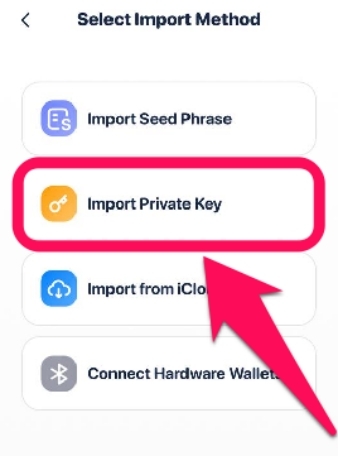
Passaggio 8: Scegli il metodo di importazione che preferisci: puoi inserire la frase seed del tuo account, importare una chiave privata oppure collegare un hardware wallet, come Ledger o Keystone.
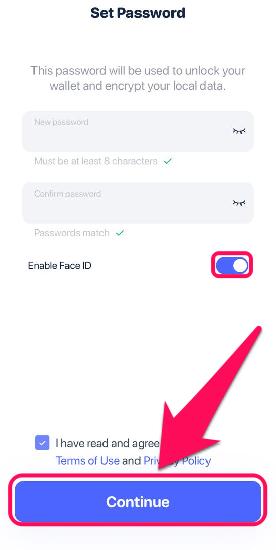
Passaggio 9: Imposta una nuova password per proteggere il tuo Rabby Wallet.
Quanti wallet supporta Rabby Wallet?
Non esiste un limite preciso al numero di indirizzi (wallet) che puoi gestire contemporaneamente su Rabby Wallet. In genere, per semplicità, la maggior parte degli utenti ne gestisce da 5 a 10. Tuttavia, puoi creare e importare tutti i wallet che vuoi sulla piattaforma, in qualsiasi momento.
Rabby è particolarmente efficace nella gestione di asset crypto su più chain e protocolli, che integra senza interruzioni nei relativi indirizzi. Puoi quindi creare o importare indirizzi su chain diverse e gestirli tutti dall’interfaccia intuitiva di Rabby.
Come gestire al meglio più wallet
Quando usi un wallet che supporta più chain e indirizzi, è fondamentale organizzarsi per evitare errori costosi. Per gestirli al meglio, puoi rinominare i sotto-wallet di Rabby Wallet in base all’uso previsto. Ad esempio, invece della stringa di indirizzo predefinita, che può essere difficile da distinguere, puoi assegnare nomi come «Il mio ETH» o «Chain testnet».
Inoltre, ogni wallet che importi avrà una frase seed univoca di 12 parole. Assicurati di creare una copia di backup separata per ciascuna frase e di conservarla offline in un luogo sicuro, così da poter recuperare il wallet e impedire accessi non autorizzati al wallet e ai fondi.
In sintesi
Importando un wallet esistente in Rabby Wallet, eviti la complicazione di gestire i tuoi crypto su più piattaforme. La procedura è semplice, sia su dispositivi mobili sia tramite estensione, e ti permette di passare a Rabby senza difficoltà, per un’esperienza migliore.
Ricorda che importare un wallet non modifica i tuoi fondi, le chiavi private o la sicurezza. Ora che sai come importare un wallet esistente in Rabby Wallet, consulta questa guida per proteggere e fare il backup del tuo Rabby Wallet e difenderlo da chi potrebbe tentare di rubare i tuoi fondi.
Domande frequenti
Rabby mostrerà automaticamente un errore e ti chiederà di controllare la frase mnemonica e riprovare.
No, importare un wallet equivale a copiare tutti i dati da un wallet a una nuova piattaforma. I dati del wallet originale, ad esempio quelli di MetaMask, rimangono intatti e i fondi sono accessibili da entrambe le piattaforme.
A differenza dei wallet che si concentrano principalmente su Ethereum, Rabby supporta oltre 100 blockchain, tra cui Ethereum, BNB Chain, Polygon, Avalanche, Arbitrum, Optimism e altre ancora.