Delete Kraken Account Ste-By-Step (With Screenshots)

이 페이지에서

Kraken, a cryptocurrency exchange based in San Francisco, was founded in 2011 and offers various digital assets, including Bitcoin, Ethereum, and smaller, less popular cryptocurrencies.

Closing your Kraken account is a decision that some users eventually consider, whether it’s to explore new exchange platforms or for personal reasons.

This article aims to assist you with a user-friendly, step-by-step guide on securely deleting your Kraken account.

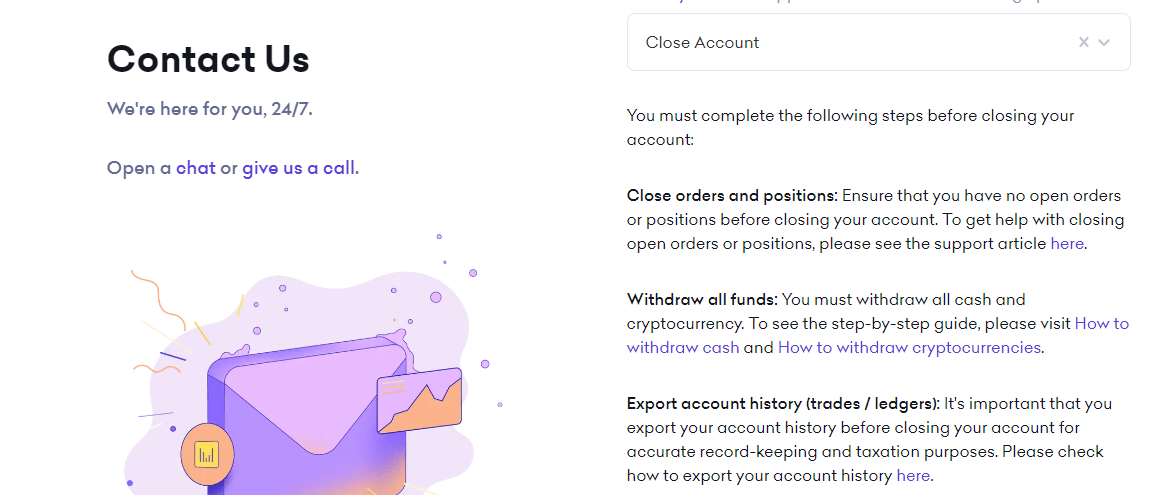
What You Need To Do Before Closing A Kraken Account

Closing your Kraken account? Here’s what you need to do first:

Clear Balances: Ensure you have no remaining balance or pending transactions on the platform. If you have funds, transfer them to a hardware wallet or a software wallet for safekeeping.

SEPA Support: Kraken allows direct bank account withdrawals through SEPA. So, if you need to withdraw fiat currencies (USD, EUR, CAD, AUD, GBP, CHF, or JPY), make sure to do so before closing your account.

Seek Support: Before the final farewell, reach out to Kraken’s support team and generate a support ticket for any pending transactions or unresolved matters. This ensures a smooth closure and severs all connections with the exchange.

Explore Alternatives: If you’re looking for another top-notch cryptocurrency exchange, consider Bitunix or Bybit.

How To Delete Your Kraken Account

If you’ve decided it’s time to bid farewell to your Kraken account, we’ve got you covered with this detailed step-by-step guide for how to delete your Kraken account.

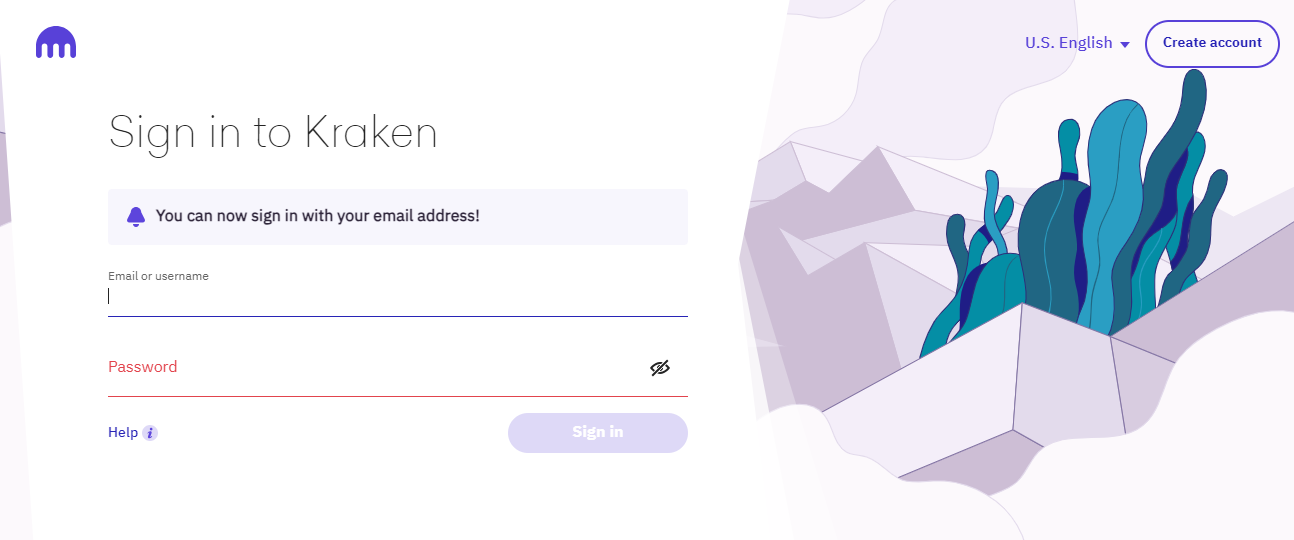
Step 1: Log in to Your Kraken Account

Step 1: Log in to Your Kraken Account

Start by logging in to your Kraken account through a desktop browser or mobile application.

Step 2: Click the Support Tab

Step 2: Click the Support Tab
Step 2: Click the Support Tab (2)

After successful login, you’ll be greeted with a screen displaying various options. Click on the “Support” tab located in the top bar of the screen.

Step 3: Click the “Contact Us” Tab

Kraken Contact Us Button

On the Support page, look for the “Contact Us” tab in the upper right corner, and click on it.

Step 4: Select “Other Questions”

Kraken Other Questions

Scroll to the bottom of the page and find the button labeled “Other questions (general, feedback, bugs).” Click on it.

Step 5: Choose “Close Account”

Kraken Close and Delete Account

A new window will open, presenting a dropdown list under “Category.” From this list, select “Close Account.”

Step 6: Confirm Account Closure

Once you select “Close Account,” a screen with checkboxes will appear. Ensure you tick all the boxes to confirm the following:

Step 6: Confirm Account Closure (2)
  • All balances in the account have been withdrawn.
  • Exports of trade history and ledgers have been performed, and you acknowledge that no future exports will be provided.
  • The account has been closed for all orders and positions.
  • Additionally, choose a reason for closure from the list provided. You may select multiple options if applicable.

Step 7: Submit and Bid Farewell

Finally, click the “Submit” button to permanently close your Kraken account. That’s it! You’ve successfully navigated the account closure process.

Can You Create A New Kraken Account After Deletion?

Absolutely. Creating a new Kraken account after deletion is possible and quite convenient. Kraken stands out from other crypto exchanges by allowing users to create new accounts, even after deleting your inital one.

This unique feature opens up endless possibilities, enabling you to have distinct accounts for various trading strategies or even one for your trading bot. However, it’s important to note that these accounts cannot be linked as sub-accounts.

So, to make the most of each account, you’ll need to deposit funds separately.

Best Kraken Alternatives

If you’re searching for reliable alternatives to Kraken, look no further! Binance, one of the largest and most respected cryptocurrency exchanges, is a fantastic option.

Bybit is one of the best alternatives to Kraken. Bybit offers a user-friendly mobile app, ensuring seamless trading on the go, and it’s available to residents of over 170 different countries. Unfortunately, Bybit is not available in the United States.

If you are from the U.S, you migh want to look into BYDFi. The exchange us licensed in the United States and operates in (almost) all states. Only New York is excluded.

Final Words

Deleting and closing your Kraken account is a straightforward process, as this detailed guide outlines. However, it’s essential to understand that account deletion is permanent, and once completed, there’s no way to recover your account or access any associated services.

Before proceeding with the deletion, ensure that you don’t have any pending transactions with Kraken customer service for a smooth and secure closure.

If safety concerns prompt you to avoid storing your cryptocurrency on exchanges, consider using a cryptocurrency hardware wallet as an ideal solution. These measures allow you to confidently manage your crypto assets while prioritizing security and peace of mind.

Remember, keeping your investments safe is paramount in the world of cryptocurrencies.

제휴 고지: 이 페이지의 링크를 통해 계정을 개설하면 CryptoWinRate가 수수료를 받을 수 있으며, 이용자에게 추가 비용은 발생하지 않습니다. 이는 점수나 표시된 데이터에 영향을 주지 않습니다. 점수와 데이터는 모두 거래소 데이터베이스를 기반으로 합니다.
작성자

CryptoWinRate

Editorial Desk

Crypto Win Rate

계속 읽기

관련 문서

Kraken 이용 가능 국가 및 제한 국가 [2026]

2011에 설립된 Kraken은 여러 국가에서 900만 명이 넘는 사용자를 보유한 주요 암호화폐 거래소입니다. 이 가이드에서는 Kraken 서비스 이용이 제한되는 국가를 모두 살펴봅니다. 또한 이용…

CryptoWinRate· 2024년 3월 5일

2026년 최고의 크라켄 대안

크라켄의 대안을 찾는 이유 크라켄에서는 거래 전에 모든 사용자가 신원 인증을 완료해야 하므로 익명성을 유지하려는 사람에게는 적합하지 않습니다. 현물 거래 수수료도 높은 편입니다. 메이커…

CryptoWinRate· 2024년 2월 27일