Delete BYDFi Account Step-by-Step (2026)


このページの内容
Since its release in April 2020, BYDFi (formerly known as BitYard) has stood out as a noteworthy exchange platform with over 500,000 users.
Nevertheless, there can be times when you might want to terminate your BYDFi account. To help you with that, this concise guide provides an insightful step-by-step approach to deleting a BYDFi account.
Each step is precisely outlined, from initiating the process through the security settings to specifying a reason for deletion.
So, if you’re someone seeking a seamless exit from BYFDi and don’t know how this guide is just for you. So, without any delay, let’s get started.
What to Do Before Deleting BYDFi Account
- Close all orders: Complete or cancel any pending orders on your account before starting the deletion process. This ensures a smoother experience and avoids potential complications.
- Withdraw Funds: Get your cryptos off of BYDFi and send them to your personal wallet.
How to Delete BYDFi Account
If you’ve decided to part ways with your BYDFi account, concluding your association is a simple and efficient process.
Just follow these steps to bid farewell seamlessly:
Note: The deletion process can only be done on the BYDFi mobile app.
Step 1: Login to Your BYDFi Account
To begin the account deletion process, log in to your BYDFi account using your credentials.
Step 2: Click on Profile Icon
Once logged in, locate the profile icon situated in the” top-left corner” of the app interface. Recognizable by a user silhouette, this icon serves as the gateway to your account settings. Click on it to proceed with the account deletion process.

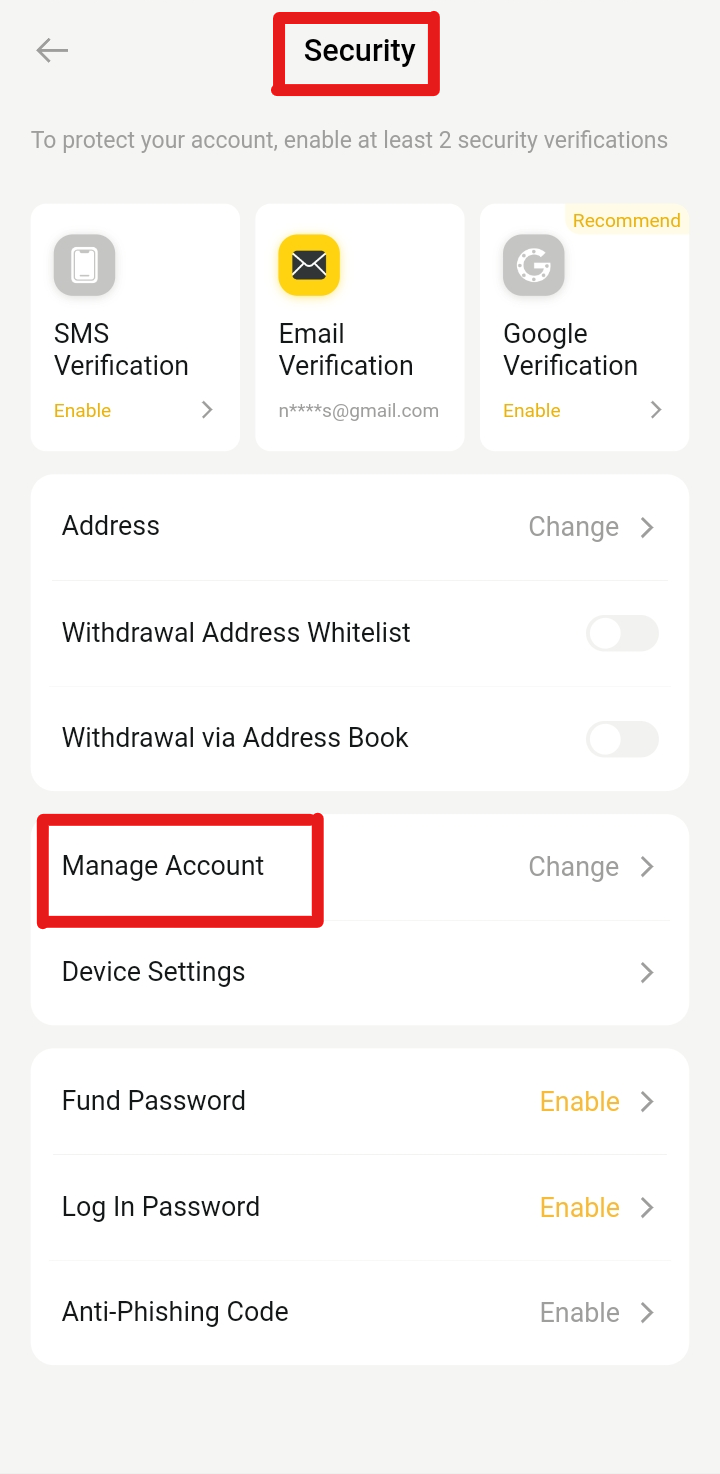
Step 3: Click Security Option
Navigate to the “Security” option in your account settings. This section is pivotal for ensuring the safety and privacy of your BYDFi account.
By clicking on the Security option, you gain access to various features designed to enhance the protection of your account.

Step 4: Select Manage Account
Within the Security settings, find and select “Manage Account.” This action opens up a range of options for handling different aspects of your account.
Locate this setting to proceed with the necessary steps for initiating the account deletion process.
Step 5: Click on the Delete Option
Look for the “Delete Account” option within the Manage Account section. Clicking on this option is a critical step in discontinuing your BYDFi account. It signals the beginning of the account deletion process, requiring additional steps for confirmation.
Step 6: Select the Reason for Deletion
Choose a reason for deleting your account from the provided list. This feedback is valuable for BYDFi as it helps them understand user preferences and address potential concerns.
Selecting the appropriate reason is an integral part of the account deletion process.

Step 7: Agree with Terms
Acknowledge and agree to the terms and conditions tied to deleting your BYDFi account. This step is essential to proceed with the account deletion process securely.

Step 8: Confirm Deletion
Before finalizing the deletion, ensure your decision is certain, as this irreversible action will permanently erase all your BYDFi account data.

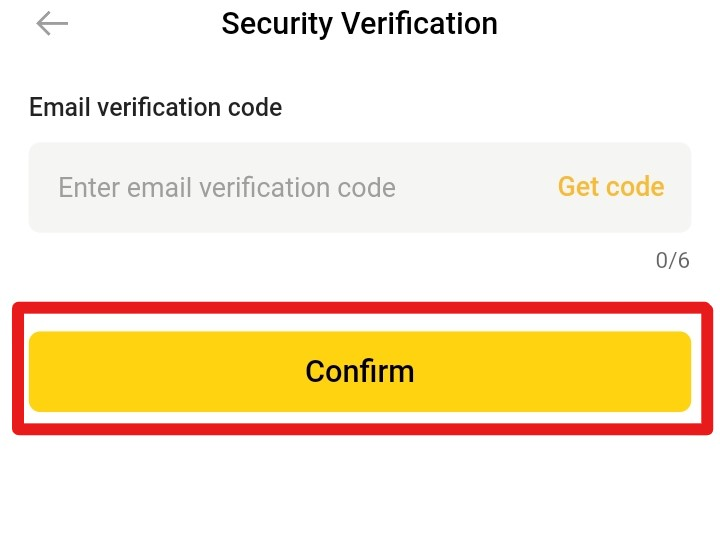
Step 9: Verification Process
To ensure security, BYDFi sends a verification code to your registered email. Enter this code to confirm your identity and proceed with the account deletion process.
Successful Closure
Following these steps will make sure that your BYDFi account has been permanently and securely deleted. After completing the deletion process, you will be redirected to the login page.
Note: The deletion process can only be done on the BYDFi app.
Best BYDFi Alternatives
For those looking for an alternative to BYDFi, MEXC sets itself apart as a prominent choice. This leading cryptocurrency exchange features 1,660 tradable cryptos and a competitive 0% maker fee for spot and futures trading.
The exchange also charges a 0% taker fee on the spot market, while its futures taker fee is 0.020%. Not to mention, MEXC has the highest leverage of up to 200x.
Check out our comprehensive MEXC review to learn more.
On the other hand, ByBit is another ideal alternative to BYDFi that features diverse currency pairs like Bitcoin/USDT, EOS/USDT, ETH/USDT, and BTC/USD perpetual contracts.
Traders engaging in perpetual contracts can enjoy a minimal 0.0200% maker fee and a 0.0550% taker fee—among the industry’s lowest. Notably, ByBit offers users up to 100x leverage for trading perpetual futures contracts.
Check out our comprehensive Bybit review to learn more.
Final Thoughts
Undertaking a crypto farewell journey with your BYDFi account is no less than an adventure. Follow the outlined steps to securely close your account.
Consider MEXC for a straightforward and user-friendly experience, or opt for Bybit if you seek advanced features tailored to diverse trader preferences. Pick wisely based on your specific requirements for this crypto journey.