How to Get Started With Xaman Wallet

En esta página
Xaman Wallet (formerly Xumm) is a non-custodial wallet designed for use with the XRP Ledger. Getting started with Xaman requires a wallet account, but first, you need to install the mobile app. This article will show you how to find, download, and create your Xaman Wallet account. We’ll also walk you through the app’s interface to ensure you never miss a step when exploring the wallet.
Why You Need the Xaman Wallet
Of all the available XRP-compatible wallets, Xaman Wallet has the best features. The app’s multi-signature support allows you to set up multiple layers of protection for transactions, significantly enhancing security. Also, Xaman Wallet’s transaction fee is minimal, making it ideal for regular XRP users looking to minimize costs.
Another reason you need Xaman is its support for a wide range of crypto services. In addition to the XRP network, Xaman is integrated with other platforms operating on the XRP Ledger, such as Xahau and xApps. The wallet supports over 8,300 tokens.
Getting Started With Xaman Wallet
Download
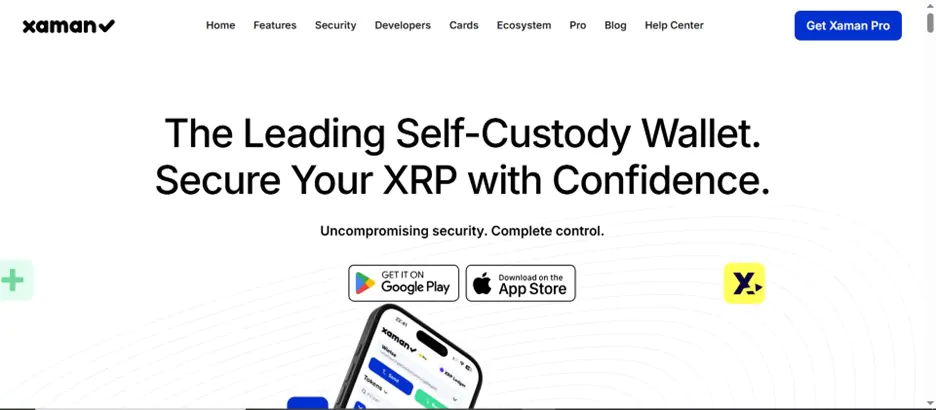
Xaman (formerly Xumm) is available for free download on Google Play and Apple App Store for Android and iOS devices. Generally, the minimum device specifications needed to install Xaman are Android v7, iOS v13, and an iPhone 7. Newer devices, excluding tablets like Apple iPads, can run the app seamlessly.
The download and installation process is straightforward and should take no more than two minutes, depending on your network speed. Here’s a step-by-step guide on how to download the Xaman Wallet:
Step 1: Launch your device’s application store, i.e., Apple App Store for iOS devices and Google Play Store for Android OS devices.
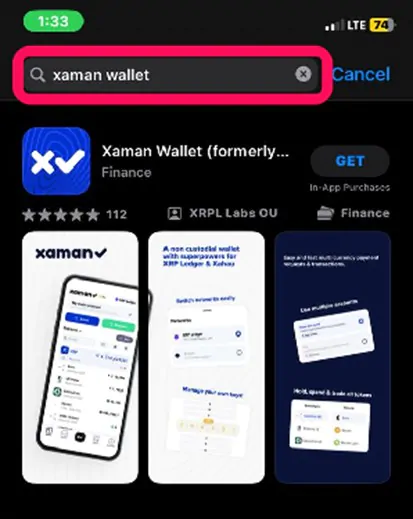
Step 2: Search for «Xaman Wallet» on the application store.
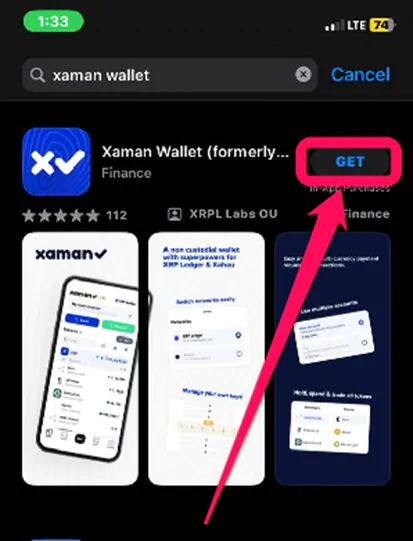
Step 3: Tap the Install or Get button to begin the download.
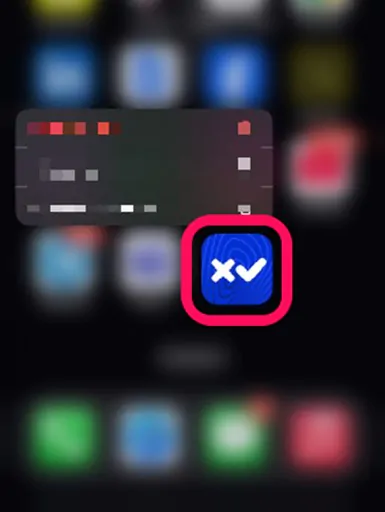
Step 4: Wait till the download and automatic installation is complete. Next, tap on the Xaman Wallet app to launch it.
Wallet Creation
Once you’ve downloaded and installed the application on your phone, wallet creation is next. You can store and manage XRPL assets in your wallet as you like. Follow the steps below to create a Xaman Wallet account within five minutes:
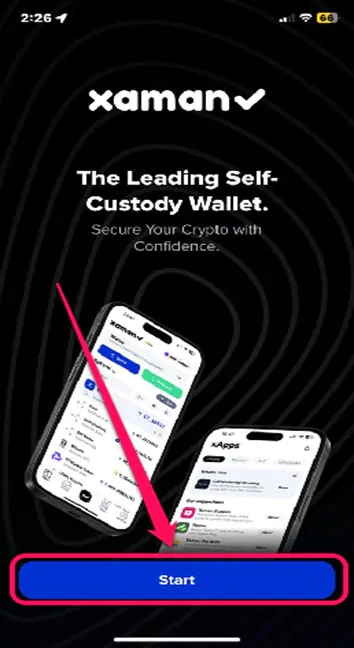
Step 1: Open the app and click the Start button on the welcome display to get started.
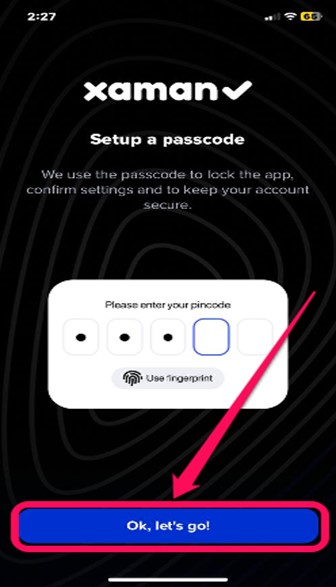
Step 2: Press “Ok, let’s go!” to enter the passcode page. Next, set up a strong 6-digit passcode for the app. Once done, press Next, re-enter your new passcode, and click Save.
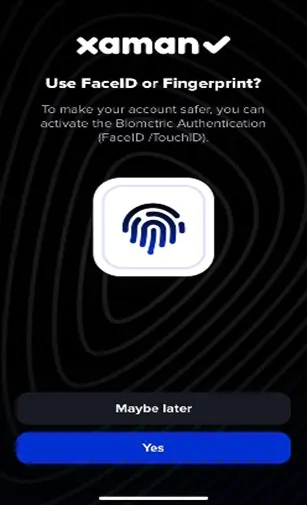
Step 3: Click Yes on the next page to log in to your account if you want to use biometrics (face ID, fingerprints, etc.). However, you can skip this process by tapping Maybe Later.
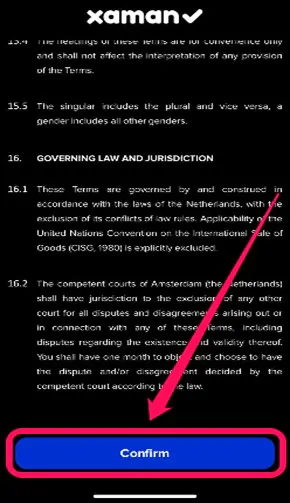
Step 4: Read Xaman’s Terms of Service and tick the Continue tab once you’re done.
Step 5: Press the Add Account button, then choose whether to Create a new wallet, Import an existing account, or Add a tangem card. In this case, we’ll be creating a new account.
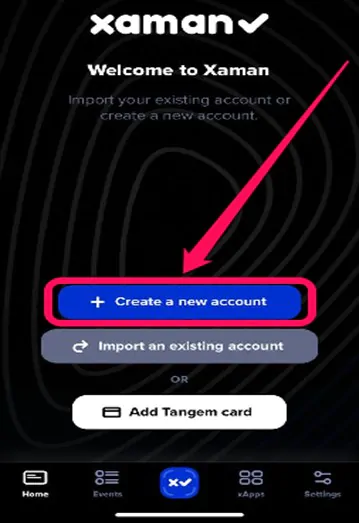
Step 6: Select your preferred account type (Full Access or View Only). Finally, select your preferred secret security protocols (secret numbers, family seeds, or mnemonic phrases). Complete the verification on the next page, name your account, and you are ready to go.
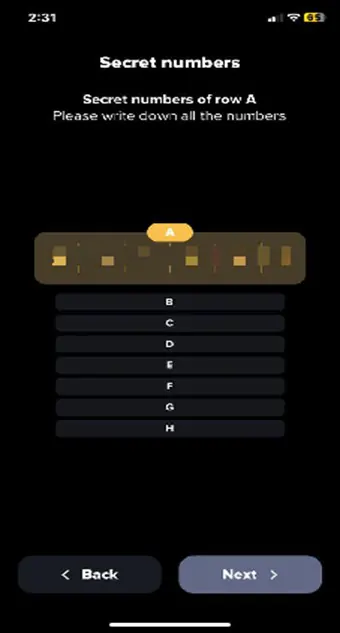
N.B.: For your passcode, use a number combination that only you can remember, as your passcode grants access to all assets on the Wallet. You do not want your passcode falling into the wrong hands. Also, ensure you save your secret codes, as you won’t be able to retrieve your account without them. Lastly, you need to top up your new account with at least 10 XRP to activate it.
Quick Tour of Xaman Wallet
On the Xaman Wallet’s homepage, you can find your account’s name, address, and asset balance. You can also add tokens to the wallet by clicking the + Add icon on the homepage. Each trust line needed to add tokens demands a 2 XRP charge fee, so keep that in mind.
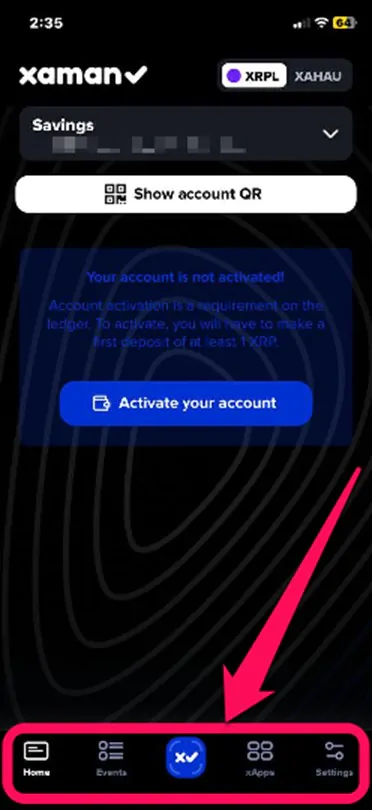
On the Events page, you can find new updates on the XRPL network and bonuses, among others. You can also explore xApps on the wallet by clicking the xApps icon at the bottom of the app. Lastly, click the Settings icon at the bottom right angle of the platform to view your profile and perform other modifications to your account.
Bottom Line
Xaman Wallet is the best option for sending, storing, and managing your XRPL assets. The platform combines security, ease of use, and comprehensive features, making it an ideal choice for all XRP lovers. Installing and setting up the Xaman wallet is also straightforward. Follow the steps provided in this post to download, install, and create your personalized Xaman wallet account for XRPL exploration today.
FAQs
Xaman is a self-custodial mobile cryptocurrency wallet for the XRPL blockchain. It allows users to manage their issued tokens, send/request payments, and interact with XRP Ledger (XRPL) via xApps.
No, Xaman can not store Bitcoins. Although the Xaman Wallet supports over 8300 tokens, it does not support major digital assets like BTC, ETH, and many other popular cryptocurrencies.
Subscribing to Xaman Pro costs $60 (paid in XRP) or about $70 if purchased via credit card.
Go to the settings on the Xaman app, then click Add Account →Add Tangem Card. Hold one of the cards to the NFC reader on your phone to scan and connect.
You can buy XRP tokens from all supported exchanges, including Binance, Bitrue, Bybit, etc.