How to Delete Digifinex Account? (Step-by-Step)


이 페이지에서
Digifinex, a famous cryptocurrency exchange with over 4,000,000 users offers a platform to engage in digital asset trading.
However, despite its usefulness, circumstances may emerge when individuals decide to part ways with the platform.
There could be many reasons to take such a step however, understanding the process of deleting a Digifinex account is essential.
In this article, we will guide you through the steps to close your Digifinex account, ensuring a seamless transition in managing your crypto holdings.
What to Do Before Deleting Digifinex Account
- Close Open Orders: Mitigate any trading risks by canceling or closing any open orders on Digifinex. Access the trading interface, review your active orders, and ensure they are canceled or executed. This step prevents unintended transactions after account closure.
- Withdraw Funds: Protect your assets by withdrawing all funds from your Digifinex account. Navigate to the withdrawal section, follow the platform’s withdrawal process, and transfer your cryptocurrencies or fiat balances to a secure wallet or another exchange.
This careful approach guarantees a comprehensive and privacy-focused account termination process.
How to Delete Digifinex Account?
If you’ve chosen to part with your Digifinex account, concluding your affiliation is a straightforward and effective procedure. Simply follow these steps to say goodbye.
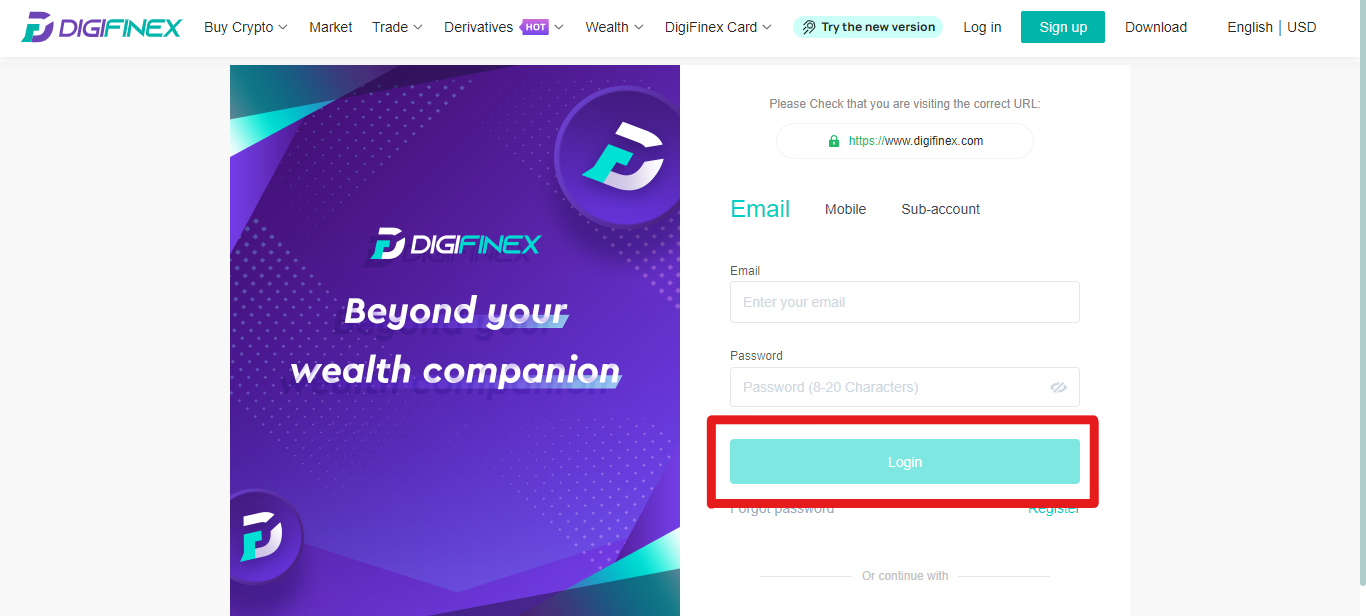
Step1: Login to your Digifinex Account
Access your Digifinex account using your credentials on the platform’s website or app, ensuring a secure login to proceed with account deletion.
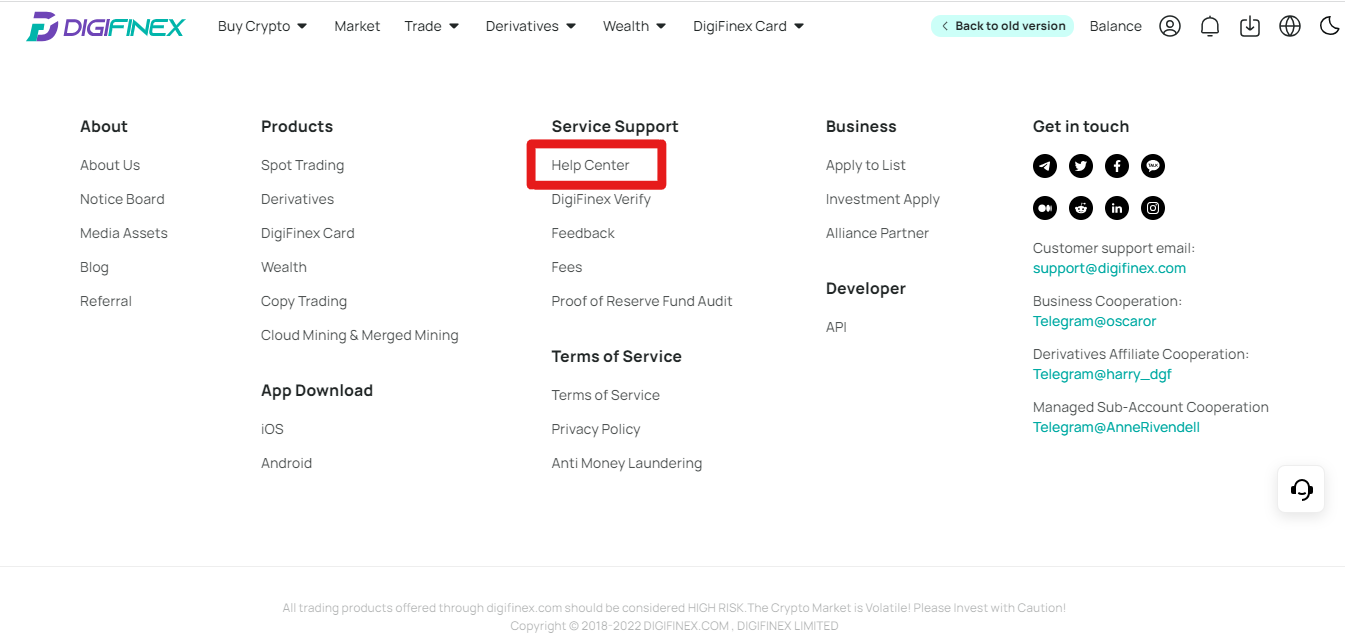
Step 2: Scroll Down to the Bottom and Click On “Help Center”
Navigate to the bottom of the Digifinex homepage or dashboard to find additional options and features.
Locate and select the “Help Center” option, usually found in the footer or menu section, to access customer support resources.
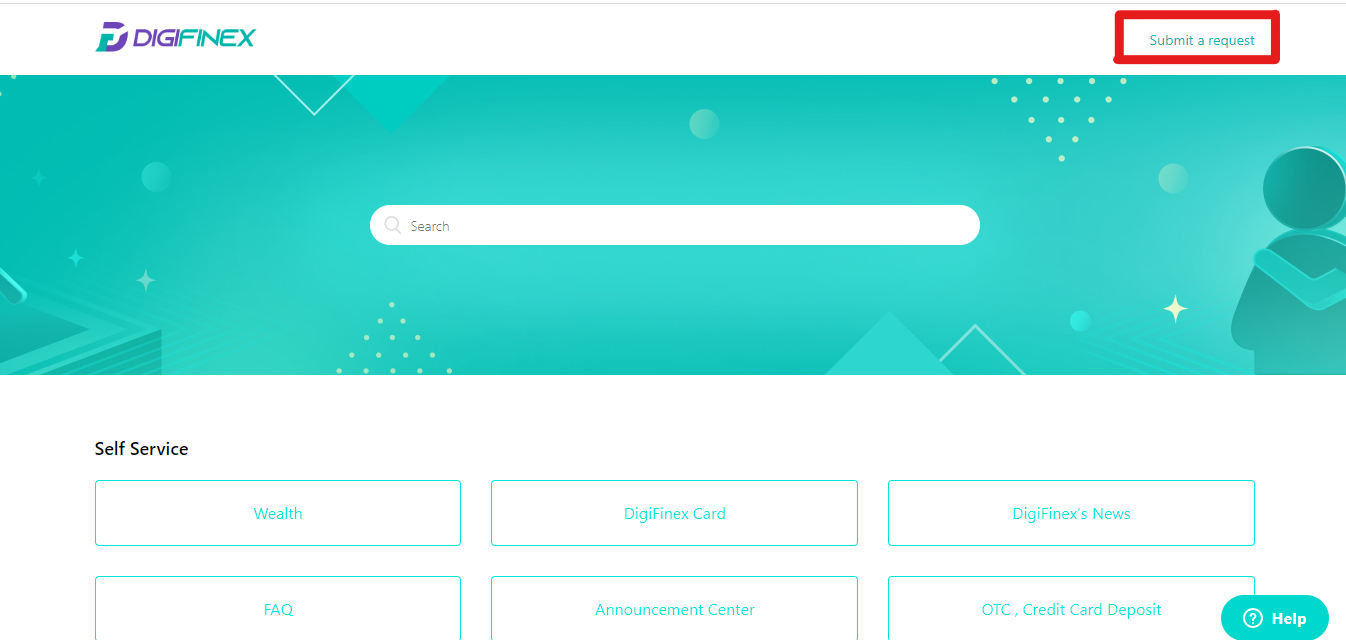
Step 3: Click on “Submit a Request”
Within the Help Center, find the option labeled “Submit a Request” to initiate the account deletion process through the customer support system.
Step 4: Write Your Details
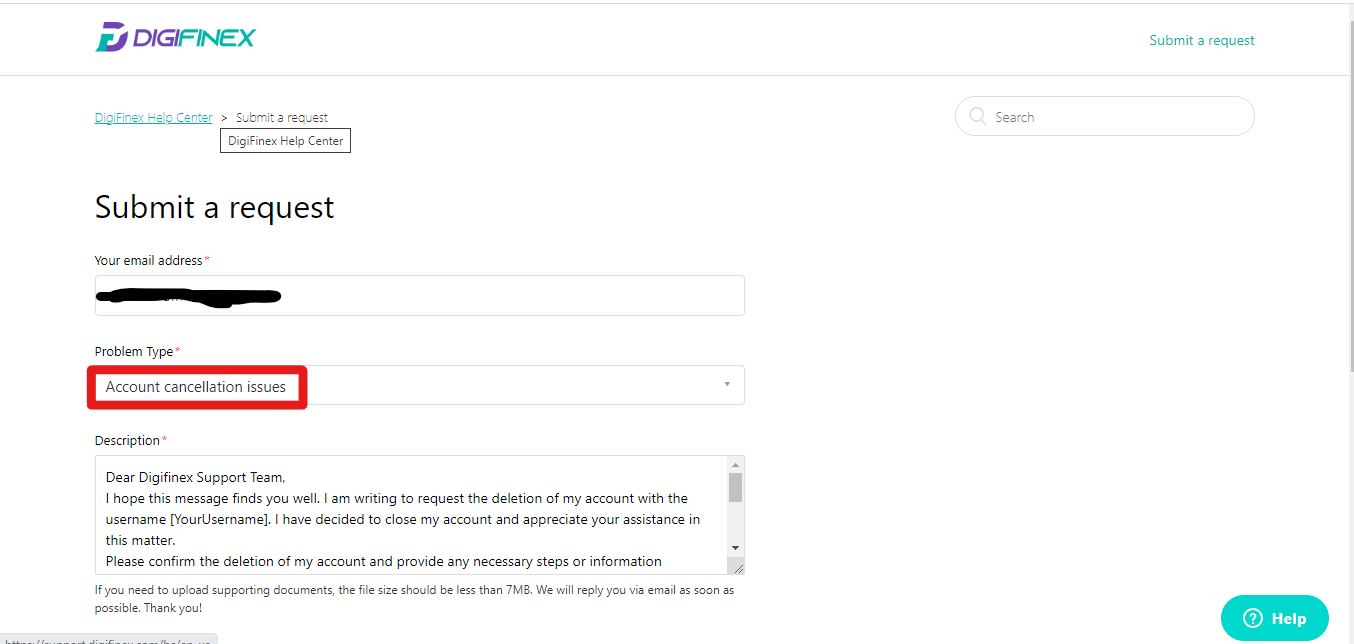
Complete the required fields with accurate and up-to-date information, providing details such as your account username, email address, and any other necessary identification.
Step 5: Write Your Request
Clearly articulate your request for account deletion in the provided text box. Specify that you wish to permanently close your account on Digifinex.
Step 7: Hit the Submit Button
After carefully reviewing the information and request, click the “Submit” button to send your account deletion request to Digifinex’s customer support. Await confirmation and follow any additional instructions provided.
Best Digifinex Alternatives
After parting ways with Digifinex, if you’re considering alternatives, consider MEXC as a compelling option, especially due to its attractive fee structure.
Benefit from a fixed 0% fee for both makers and takers in spot trading, and enjoy remarkably low rates of 0% maker fee and 0.03% taker fee in futures trading.
MEXC stands out with an impressive 200x leverage and notably doesn’t require KYC.
For a detailed exploration of its features and user experiences, refer to our comprehensive MEXC review to make an informed decision.
Final Thoughts
Saying goodbye to your Digifinex the right way is important. By following our step-by-step guide, you can reclaim control over your digital presence.
Consider MEXC as a compelling alternative—a platform offering user-friendly features with advanced trading options. Choose wisely, as your financial journey evolves.