¿Cómo eliminar una cuenta de Deepcoin? (Paso a paso)


En esta página
Deepcoin es un exchange de criptomonedas conocido, con más de 3 millones de usuarios que operan en la plataforma y un volumen diario promedio superior a los 2500 millones.
Aunque goza de popularidad y cuenta con una amplia base de usuarios, quizá quieras desvincularte de Deepcoin y cerrar tu cuenta. En ese caso, es fundamental entender las particularidades del proceso de eliminación para proteger tu información y dejar de utilizar la plataforma.
Esta guía te explica el proceso paso a paso para que puedas completarlo sin contratiempos. Sigue las instrucciones para llevarlo a cabo fácilmente.
Qué hacer antes de eliminar tu cuenta de Deepcoin
- Cancela todas las órdenes y posiciones: Asegúrate de cerrar todas las órdenes y posiciones activas para evitar transacciones no deseadas. Así reduces el riesgo de que se ejecuten operaciones o de sufrir pérdidas después de eliminar tu cuenta de Deepcoin y mantienes el control de tu cartera.
- Retira tus fondos: Protege tus activos retirando todos los fondos de tu cuenta de Deepcoin. De este modo, resguardarás tu dinero y facilitarás la transición.
Cómo eliminar tu cuenta de Deepcoin
Si has decidido cerrar tu cuenta de Deepcoin, desvincularte de la plataforma es un proceso sencillo y rápido. Sigue estos pasos para hacerlo sin complicaciones.
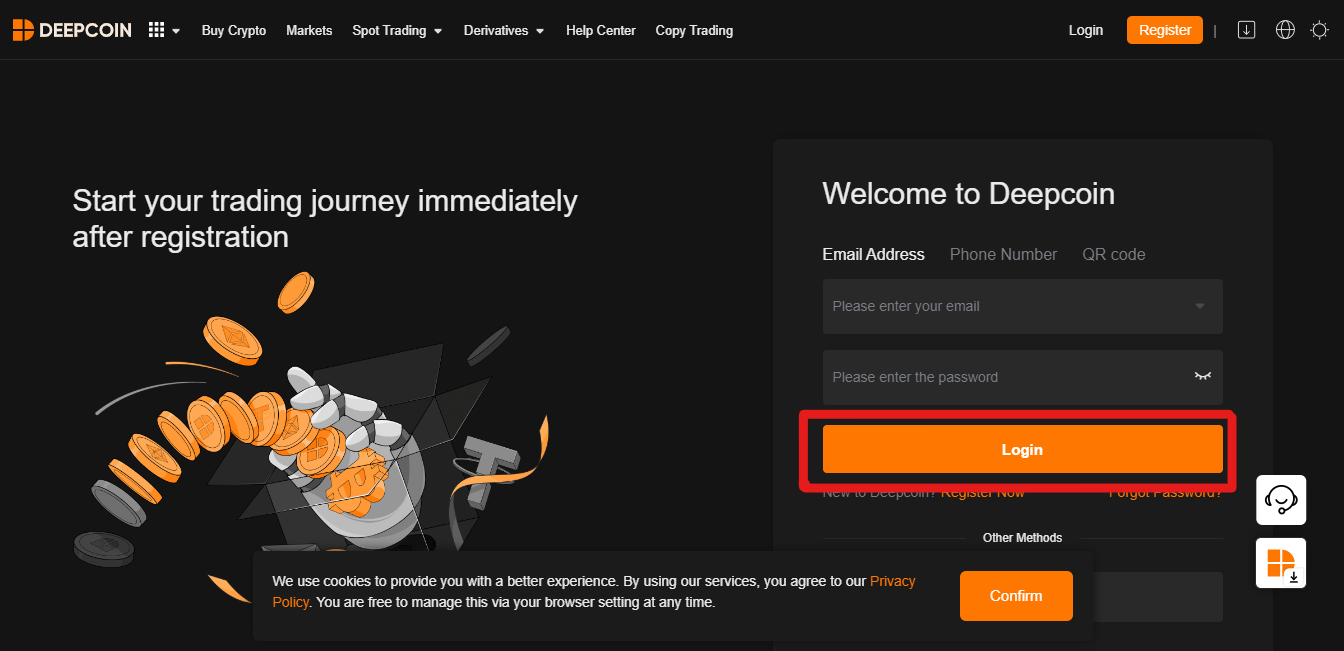
Paso 1: Inicia sesión en tu cuenta de Deepcoin
Accede a tu cuenta de Deepcoin introduciendo tus credenciales en la plataforma. Así tendrás el acceso necesario para iniciar el proceso de eliminación de la cuenta.
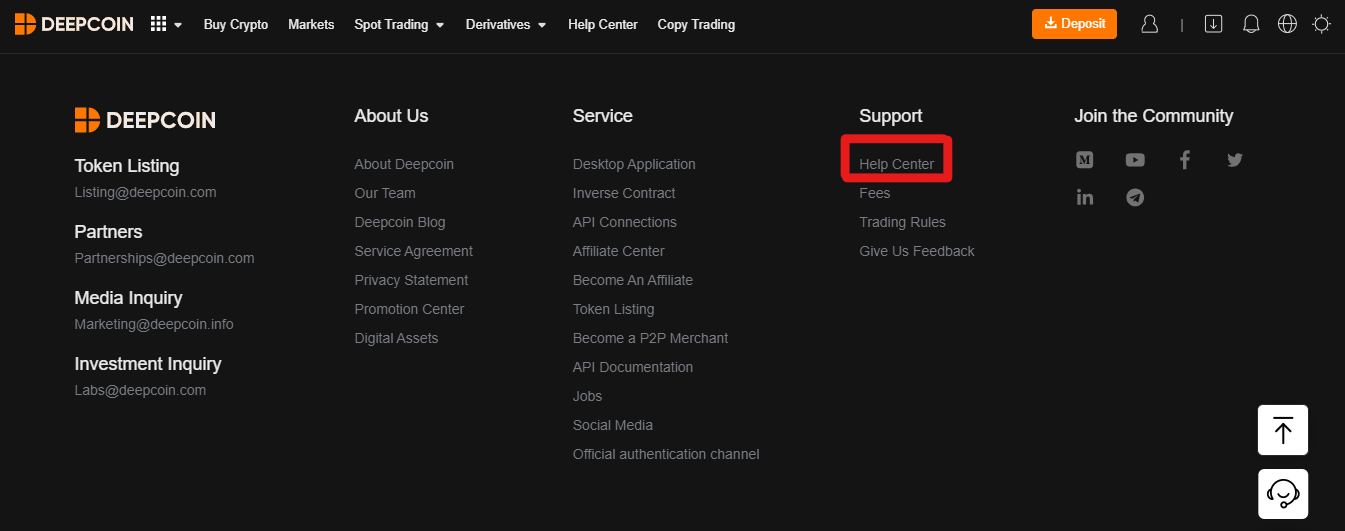
Paso 2: Desplázate hasta el final de la página
Ve hasta la parte inferior de la página web de Deepcoin. Allí suelen aparecer opciones adicionales, incluidas las relacionadas con la gestión de la cuenta.
Paso 3: Haz clic en la opción «Help Center»
Busca y selecciona la opción «Help Center». Por lo general, esta sección ofrece asistencia e información sobre distintos temas relacionados con la plataforma.
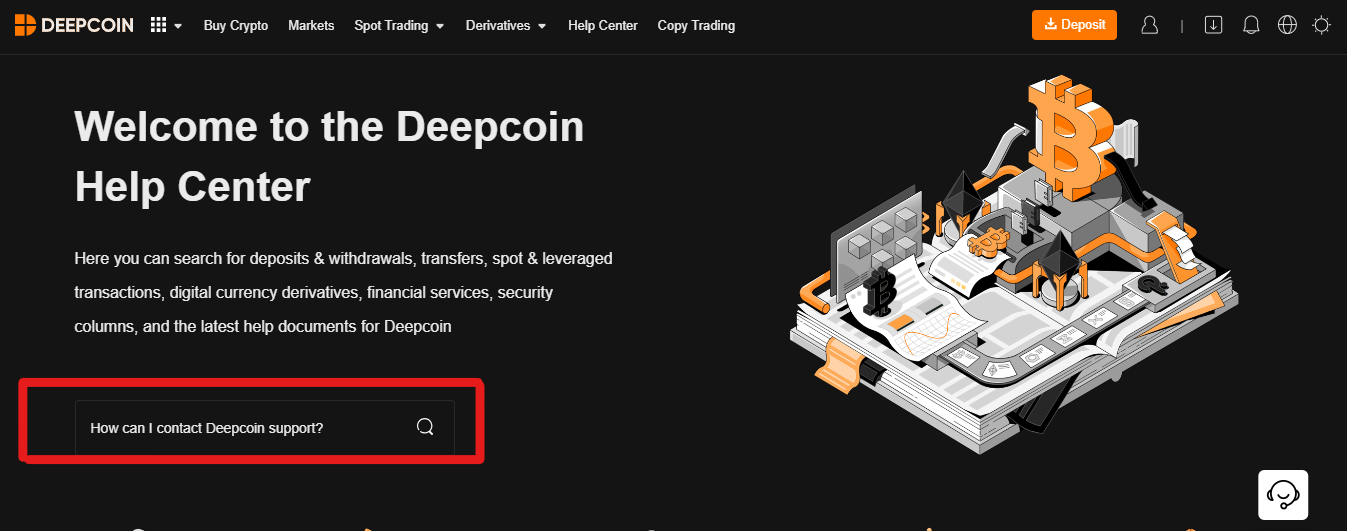
Paso 4: Haz clic en la barra y escribe «How I can contact Deepcoin Support»
En el Help Center, busca la barra de búsqueda o consultas. Escribe «How I can contact Deepcoin Support» y haz clic en el resultado correspondiente para consultar cómo contactar con el equipo de soporte.
Paso 5: Copia la dirección de correo electrónico proporcionada
Cuando encuentres la información de contacto, copia la dirección de correo electrónico indicada. Esta es la vía para comunicarte con el equipo de soporte de Deepcoin sobre asuntos relacionados con tu cuenta.
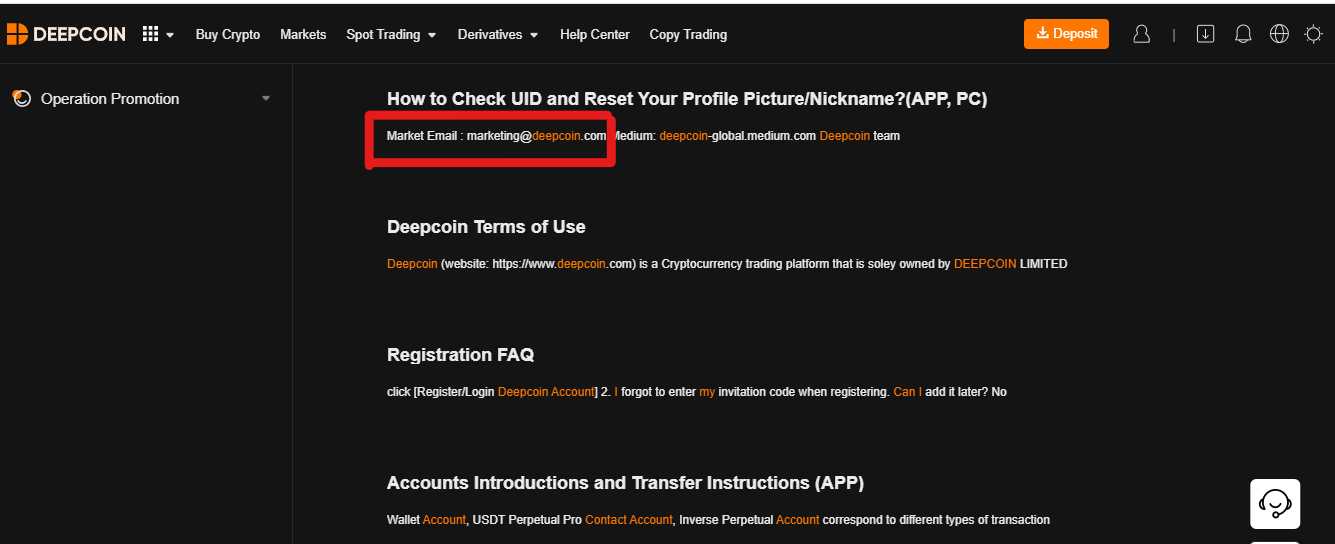
Paso 6: Abre tu correo y pega la dirección de soporte de Deepcoin
Abre tu aplicación de correo y redacta un mensaje nuevo. Pega la dirección del equipo de soporte de Deepcoin en el campo del destinatario. Así podrás enviar la solicitud para eliminar tu cuenta.
Paso 7: Redacta la solicitud de eliminación
Escribe un correo claro y conciso en el que indiques que quieres eliminar tu cuenta de Deepcoin. Incluye información esencial, como el nombre de usuario de tu cuenta y cualquier otro dato que se necesite para verificar tu identidad.
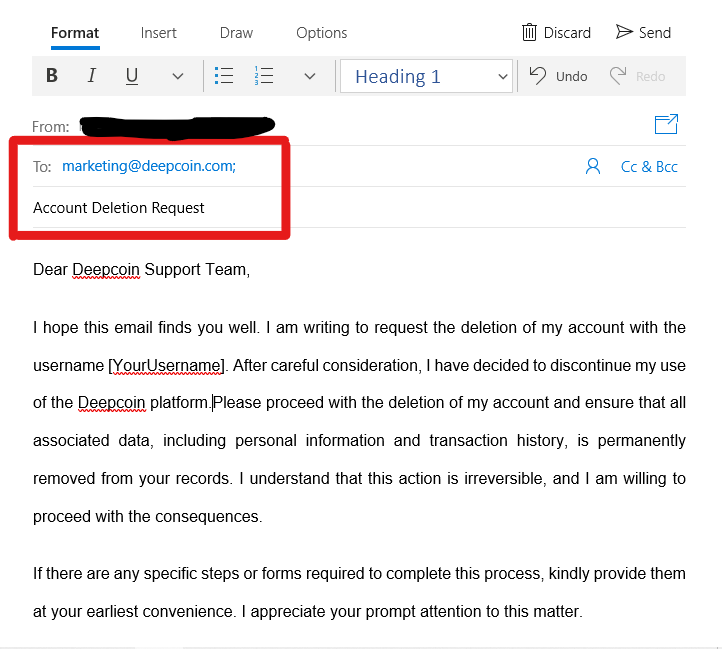
Paso 8: Haz clic en «Enviar»
Cuando hayas revisado la solicitud, haz clic en «Enviar» para mandarla al equipo de soporte de Deepcoin. Así se iniciará el proceso de eliminación de la cuenta. El equipo de soporte debería enviarte instrucciones adicionales o una confirmación.
Las mejores alternativas a Deepcoin
Si buscas una alternativa a Deepcoin, puedes considerar Blofin , una opción interesante para operar con criptomonedas. Blofin destaca por sus comisiones de spot del 0,1 % y por ofrecer las comisiones de futuros más bajas del sector: 0,02 % para makers y 0,06 % para takers.
Además, Blofin admite más de 400 criptomonedas, por lo que ofrece una amplia variedad de opciones a los traders. La plataforma permite operar en spot y con futuros, con un apalancamiento de hasta 150x, y se adapta tanto a principiantes como a inversores experimentados que buscan flexibilidad.
Cabe destacar que Blofin también es popular por su interfaz intuitiva, disponible sin necesidad de completar una verificación KYC obligatoria.
Consulta nuestro análisis completo de Blofin para conocer en detalle sus funciones, su seguridad y su rendimiento general en el dinámico mercado de las criptomonedas.
Reflexiones finales
Esta guía paso a paso para eliminar una cuenta de Deepcoin explica cómo completar el proceso sin contratiempos y destaca el control que tienen los usuarios sobre sus datos personales.
Una vez eliminada tu cuenta de Deepcoin, puedes considerar Blofin como una alternativa fiable. Gracias a su interfaz intuitiva, sus bajas comisiones y su amplia oferta de criptomonedas, MEXC es una opción convincente que ofrece una experiencia fluida para operar y gestionar la cuenta.