Cómo eliminar tu cuenta de Bitfinex en 2026, paso a paso (con capturas de pantalla)


En esta página
Como pionera en el ámbito del trading de activos digitales, Bitfinex ha estado a la vanguardia del auge del trading de criptomonedas desde su fundación en 2012.
Sin embargo, las circunstancias cambian y quizá estés pensando en eliminar tu cuenta, ya sea porque han cambiado tus hábitos de trading, no estás satisfecho con las funciones o te preocupan la seguridad.
Sigue estos pasos para eliminar tu cuenta de forma sencilla.
Cómo eliminar una cuenta de Bitfinex
Si has decidido dejar de usar tu cuenta de Bitfinex, sigue estos pasos para eliminarla de forma definitiva y sin contratiempos.
A continuación, encontrarás una guía detallada para completar el proceso rápidamente.
Paso 1: Accede a la configuración de la cuenta
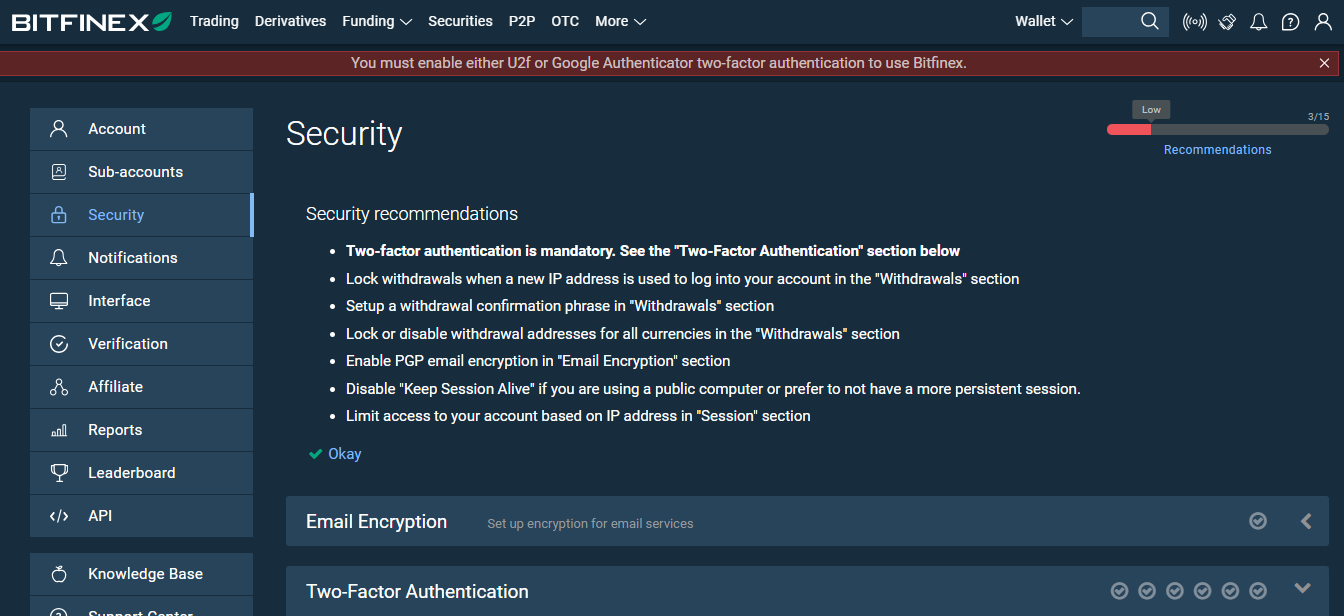
Para iniciar el proceso de eliminación, inicia sesión en tu cuenta de Bitfinex. Una vez dentro, busca y selecciona la opción «Configuración de la cuenta».
Esta opción está en la esquina superior derecha del menú del sitio web de Bitfinex.
Paso 2: Desactiva la cuenta
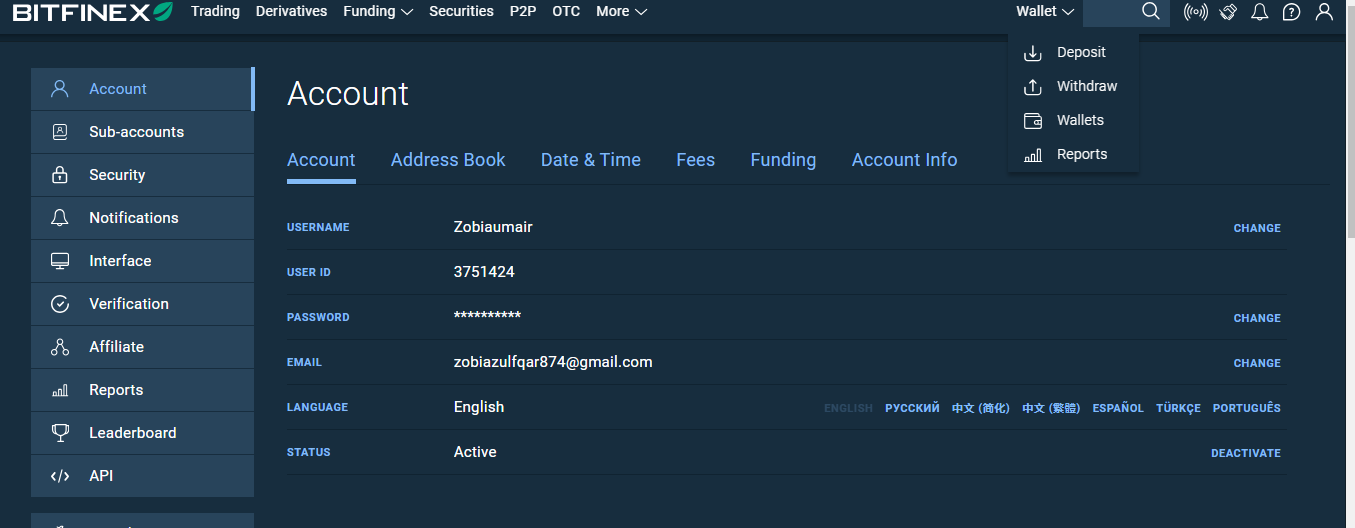
Al acceder a la configuración de la cuenta, llegarás a una página con distintos datos sobre ella. Desplázate hasta el final para encontrar la opción «Estado de la cuenta».
Desde ahí podrás dar un paso fundamental: cambia el estado de la cuenta a «Desactivar», en la esquina inferior derecha.
Paso 3: Confirma tu decisión
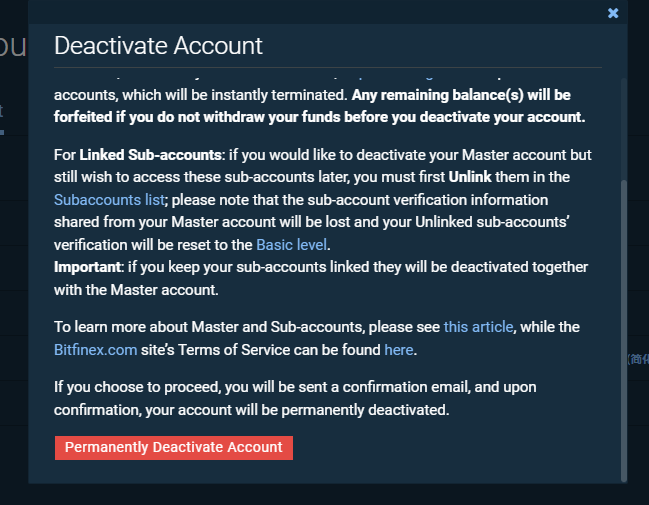
Cuando estés cerca de completar el proceso, aparecerá una ventana emergente para que confirmes tu decisión. Tómate un momento para comprobar que refleja lo que realmente quieres hacer.
Cuando estés seguro, selecciona la opción de confirmación. Después recibirás un correo electrónico para confirmar la desactivación de tu cuenta.
Paso 4: Confirmación final
Abre tu correo electrónico y busca el mensaje de confirmación para completar el proceso de eliminación. En el mensaje encontrarás un botón que dice «Desactivar la cuenta permanentemente«.
Al hacer clic en ese botón, cerrarás la sesión de tu cuenta de Bitfinex y eliminarás permanentemente tu presencia en la plataforma.
Qué debes saber antes de eliminar tu cuenta de Bitfinex
Antes de eliminar tu cuenta de Bitfinex, es fundamental que tengas en cuenta algunos aspectos importantes. Para completar el proceso sin contratiempos, revisa lo siguiente:
Órdenes abiertas: Comprueba que no queden órdenes activas en tu cuenta. Cancela las que haya para evitar transacciones inesperadas.
Posiciones de trading: Asegúrate de cerrar todas tus posiciones de trading. Así, no dejarás operaciones activas al salir de la plataforma.
Ofertas de financiación pendientes: Comprueba que no haya ofertas de financiación pendientes. Resolverlas te permitirá cerrar la cuenta de forma ordenada.
Transferencia de activos: Antes de eliminar la cuenta, transfiere todos tus activos a un lugar seguro. Así protegerás tus fondos durante el cierre de la cuenta y después de este.
Si revisas estos puntos, podrás cerrar tu cuenta de Bitfinex, o cualquier otra cuenta de criptomonedas, de forma ordenada y responsable, y proteger tus inversiones.
Conclusión:
Recuerda que desactivar la cuenta es una decisión irreversible y con consecuencias permanentes. Una vez desactivada, el equipo de soporte de Bitfinex no podrá reactivarla. Por eso, antes de continuar, es fundamental que evalúes detenidamente tus opciones y tengas en cuenta todas las implicaciones.
Antes de tomar una decisión definitiva, asegúrate de retirar los fondos que necesites y de resolver las transacciones pendientes. Bitfinex recomienda a los usuarios contactar directamente con su equipo de soporte para pedir orientación y ayuda, y recalca la importancia de esta medida permanente. El futuro de tu cuenta está en tus manos, así que decide con cuidado.